


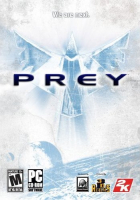


Prey is a sci-fi themed FPS from Human Head Studios and 2K Games. You play as Tommy, a garage mechanic living in a Cherokee reservation in Oklahoma. You have been abducted by aliens, and must fight your way through their massive ship, using alien weapons as well as spiritual Cherokee powers.
Support Summary
Screenshots Comparison
Solutions & Issues
As of version 1.1, widescreen is supported natively. But some resolutions must still be used manually, including 1280x768 and 1920x1080.
Launch the game, go into the video options screen, and set the aspect ratio option to the appropriate setting. If your preferred resolution is 1280x768, then 16:10 will be the closest match. Scroll through the available resolutions and see if your resolution is there. If it is, use it and stop reading this solution. If not, read on.
Save your settings and quit Prey.
If you are using the box version, go to:
\base
If you are using the Steam version (and you can register your Prey CD key on Steam even if you bought the box version), go to:
\SteamApps\common\prey\base
Edit preyconfig.cfg, and look for these lines:
seta r_customHeight "xxx"
seta r_customWidth "xxxx"
Edit them to set your resolution. Be careful not to confuse the height and width.
Now look for this line:
seta r_mode "x"
Change it to:
seta r_mode "-1"
Save, and launch Prey.
**If you wish to increase the FOV type g_fov ''x'' in console x being the number you want
some of the weapons get cropped
also it seems to increase FPS when the fov Is increased
console is ctrl + Alt + `
Resolution - Go to -> ...\Steam\steamapps\common\Prey\base
edit preyconfig.cfg put in:
seta r_customHeight "1440"
seta r_customWidth "3440"
seta r_mode "-1"
seta r_aspectRatio "1"
Download available from the PC Gaming Wiki Community Files (search there).
Set the game up for TripleHead as normal ... it is the same as for Widescreen but with TripleHead resolutions ...
IMPORTANT ... set the Aspect Ratio to 16:9 in the config file
(check WS solution above)
No need to change the FOV as it is automatically corrected ...
This game uses a file called ... gamex86.dll.
Make a back up of this file then replace the original with my version in these rar files here ...
Download available from the PC Gaming Wiki Community Files (search there).
Gameplay Screenshots


In-Game (Rendered) Cutscenes


Menu Screenshots


Additional Screenshots


