


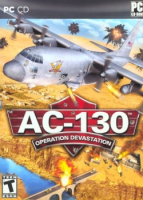


AC-130: Operation Devastation is a 2009 flight combat simulation game
Support Summary
Game Information
Game Status:Released
Release Date:
Play Styles:
Setting:Military
Genre:Combat Flight
Developer:ValuSoft
Screenshots Comparison
Solutions & Issues
Widescreen Solution & Issues:
Enabling widescreen settings in AC-130: Operation Devastation requires some simple registry edits.
Make sure the game isn't running. Now open Regedit and go to HKEY_CURRENT_USER\Software\Frozen Codebase LLC\AC-130\Video and set the Height and Width keys to your resolution. First, make sure you're not mixing up height and width or the game will fail to start with a DirectX error. Second, when you click on one of the keys to set it, make sure you select the Decimal radio button before entering in your resolution value.
Close regedit and enjoy your widescreen game. Why there isn't an interface setting for this is beyond me.
Gameplay Screenshots
4:3 Screenshot

16:10 Screenshot

16:9 Screenshot

21:9 Screenshot

32:9 Screenshot

Eyefinity / Surround Screenshot


