


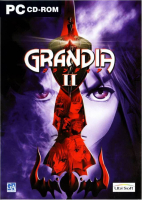


Grandia II is a role-playing video game developed by Game Arts originally for the Dreamcast console as part of their Grandia series. It was developed by many of the same staff members who worked on the original Grandia, including music composer Noriyuki Iwadare but was designed around the idea of creating a more "mature" product than the previous title, as well as the first in the series to feature fully three-dimensional graphics.
The game is set in a fantasy world thousands of years after a battle between Granas, the god of light, and Valmar, the god of darkness, nearly destroyed the planet until Valmar was split into pieces and scattered across the land. In the aftermath of the battle, the Church of Granas has led humanity to prosperity by spreading the word of good, but when a young mercenary named Ryudo is charged to protect a songstress from the church named Elena, their journey reveals that the church's history, as well as the history of the world, is not all it seems.
Support Summary
Game Information
Screenshots Comparison
Solutions & Issues
Open "Grandia2.exe" with a HEX editor. Search for these HEX values.
20 03 00 00 C7 86 28 02 00 00 58 02 00 00 E9 8A 00 00 00 8B 90 44 01 00 00 C7 42 54 20 00 00 00 C7 86 24 02 00 00 20 03 00 00 C7 86 28 02 00 00 58 02 00 00 EB 67 8B 80 44 01 00 00 C7 40 54 10 00 00 00 C7 86 24 02 00 00 00 04 00 00 C7 86 28 02 00 00 00 03 00 00 EB 44 8B 88 44 01 00 00 C7 41 54 20 00 00 00 C7 86 24 02 00 00 00 04 00 00 C7 86 28 02 00 00 00 03
You need to change both resolution sets for the tweak to work. If you selected 800x600 as your in game resolution use the four "2003 5802" values. If the in game resolution is set to 1024x768 use the four "0004 0003" values. You need to change all four of your applicable values to your custom resolution.
Gameplay Screenshots


