


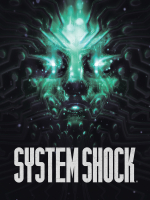


System Shock (2023) is a remake of the original first-person action-adventure game released in 1994. As before, it takes place in the future in a cyberpunk setting and features horror elements. The long-awaited remake first announced in 2015 was developed by Nightdive Studios and published by Prime Matter on May 30, 2023 on Steam, Epic Games Store, and GOG.com.
Support Summary
Game Information
Screenshots Comparison
Solutions & Issues
The game has no cutscenes except for the short intro, short outro, and death cutscene, which are in static 16:9.
It is possible to remove the letterboxing from the cutscenes at 16:10 and expand the view vertically by doing the following:
- Download Lyall's fix.
- Extract it to the game folder.
- Go to \SystemShock\Binaries\Win64\ inside the game folder.
- Open SUWSF.ini in a text editor.
- Locate the [Patch:AspectRatioAxisConstraint] section and change Enabled=true to Enabled=false, then save the file.
See the Additional Screenshots for a demonstration of the fix in place.
The field of view of the gameplay and menu scenes is reduced by default (vert-), however, the game includes FOV sliders to compensate. Setting them to 106 or 107 at 21:9 allows to vertically match the default value of 90 at 16:9 at the gameplay.
At 32:9, the maximum of 120 of the FOV sliders is not enough to match the default 90 of 16:9. Lyall's fix linked above can be extracted into the game folder to correct the field of view reduction at all scenes and remove the black bars from the real-time cutscenes. The latter expands the view but also causes the intro cutscene HUD to be stretched.
The field of view reduction issue of ultrawide is exacerbated at 48:9, with the only viable solution being Lyall's fix linked above.
The HUD, inventory and menu screens are spanned across the viewable space, with elements appearing on the side screens. The elements include the loading animation, notifications, health and energy bars, minimap and augmentations. The game warns the player of low health via screen effects, while the augmentation slots are not expected to be used frequently, mitigating the related issues.
Some menu elements become significantly bigger at this aspect ratio, though remaining fully usable. See the Additional Screenshots for the demonstrations.
The game supports DLSS and includes a separate resolution scale slider with 50% as its minimum.
Gameplay Screenshots


In-Game (Rendered) Cutscenes


Menu Screenshots


4K UHD Screenshots


Additional Screenshots


