


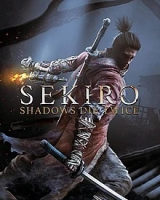


Sekiro: Shadows Die Twice is an action-adventure game played from a third-person view.Compared to FromSoftware's Souls series, the game features fewer role-playing elements, lacking character creation and the ability to level up a variety of stats, as well as having no multiplayer elements. It does, however, include gear upgrading, a skill tree, and limited ability customization. Rather than attacking to whittle an enemy's health points, combat in Sekiro revolves around using a katana to attack their poise and balance instead, which eventually leads to an opening that allows for a single killing blow. The game also features stealth elements, allowing players to immediately eliminate enemies if they can get in range undetected.
Support Summary
Game Information
Screenshots Comparison
Solutions & Issues
Default the Game is Hor+ only in 16:9. To remove black bars Anamorphic at 16:10 and 4:3 or other AR Widescreen Resolutions, Replace sekiro.exe in the game folder from this achieve AR Fix Mod by Jackfuste (v.1.04)
List Mods :
- Uncapped FPS
- Remove Textures Overlays Effects (e.g stealth-hud, Red pulsing while low on health)
Default the Game is Pillarboxed , To remove black bars pillarboxed at 21:9 and 32:9 resolutions, Replace sekiro.exe in the game folder from this achieve AR Fix Mod by Jackfuste (v.1.04)
- HUD only in 16:9 Area . Ultrawide/S-Ultrawide had issue overlay effect's in 16:9 area , you can remove Textures Overlays Effects them w/ mod in link below
- FMV Cutscenes are Windowboxed
- In-Rendered Cutscenes are Hor+ w/ AR Fix Mod
List Mods :
- Uncapped FPS
- Remove Textures Overlays Effects (e.g stealth-hud vignette, Red pulsing while low on health)
Default the Game is Pillarboxed ,To remove black bars pillarboxed at 48:9 and 48:10 or other Custom Aspect Ratio Multi Monitor resolutions, Replace sekiro.exe in the game folder from this achieve AR Fix Mod by Jackfuste (v.1.04)
- w/ AR Fix mods the HUD's are in 16:9 Area
- FMV Cutscenes are Windowboxed
- In-Rendered Cutscenes are Hor+ w/ AR Fix Mod
List Mods :
- Uncapped FPS
- Remove Textures Overlays Effects (e.g stealth-hud vignette, Red pulsing while low on health)
Gameplay Screenshots



In-Game (Rendered) Cutscenes


FMV Cutscenes


Menu Screenshots


