


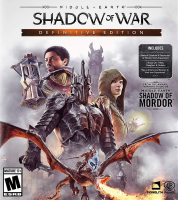


Experience an epic open-world brought to life by the award-winning Nemesis System. Forge a new Ring of Power, conquer Fortresses in massive battles and dominate Mordor with your personal orc army in Middle-earth™: Shadow of War™.
Support Summary
Game Information
Game Status:Released
Release Date:
Tested Version:Steam
Play Styles:Single-Player
Setting:Fantasy
Developer:Monolith Productions
Screenshots Comparison
Solutions & Issues
Widescreen Solution & Issues:
Native HOR+ / FOV Slider in Options is available.
-------------------------------------------------------------------------
Optional for higher FOV see here.
Ultra/Super-Wide Specific Solution & Issues:
Native HOR+
Eyefinity / Surround Specific Solution & Issues:
To get rid of the bbars you need to INI edit:
Go to C:\Users\*username*\Documents\WB Games\Shadow of Mordor
edit the "render.cfg" file like so:
"Render.Setting.AspectRatioLock" "0.000000"
4K UHD Specific Solution & Issues:
Native HOR+
Gameplay Screenshots
4:3 Screenshot

16:10 Screenshot

16:9 Screenshot

21:9 Screenshot

32:9 Screenshot

Eyefinity / Surround Screenshot

In-Game (Rendered) Cutscenes
4:3 Cutscene

16:10 Cutscene

16:9 Cutscene

21:9 Cutscene

Eyefinity / Surround Cutscene

FMV Cutscenes
4:3 FMV Cutscene

16:10 FMV Cutscene

16:9 FMV Cutscene

21:9 FMV Cutscene

Eyefinity / Surround FMV Cutscene

Menu Screenshots
4:3 Menu

16:10 Menu

16:9 Menu

21:9 Menu

Eyefinity / Surround Menu

4K UHD Screenshots
4K Gameplay Screenshot

4K In-Game Cutscene

4K FMV Cutscene

4K Menu Screenshot


