


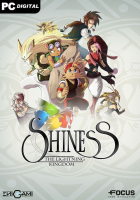


Shiness is an Action-RPG developed by indie development studio Enigami, which will let you travel in a captivating universe doomed to destruction ever since the fragmentation of the planet Mahera...
Support Summary
Widescreen | Ultra/Super‑Wide | Multi-Monitor | 4K Ultra HD | |
Support | ||||
Method | ||||
HUD | ||||
Cutscenes | ||||
FMVs |
Game Information
Screenshots Comparison
Solutions & Issues
Native Anamorphic
Native VERT-, use INI Edit Fix for HOR+ gameplay.
INI Edit FOV: Go to and locate the game installation folder. Open Engine folder, then open Config folder inside.
Open BaseInput.ini and add the following line below [Engine.PlayerInput]
Bindings=(Name="x",Command="FOV 110",Control=False,Shift=False,Alt=False)
Save the config file and press "X" in Game.
Issues: Cutscenes are VERT-
-----------------------------------------
Optional hex edit fix for HOR+ Gameplay & Cutscenes:
Go to --> ...\steamapps\common\Shiness\Binaries\Win64\ShinessGame.exe
Look for 61 0B 36 3B and change it to 61 0B 57 3B or higher.
Native VERT-, use INI Edit Fix for HOR+ gameplay.
INI Edit FOV: Go to and locate the game installation folder. Open Engine folder, then open Config folder inside.
Open BaseInput.ini and add the following line below [Engine.PlayerInput]
Bindings=(Name="x",Command="FOV 140",Control=False,Shift=False,Alt=False)
Save the config file and press "X" in Game.
Issues: Cutscenes are VERT-
------------------------------------------
Optional hex edit fix for HOR+ Gameplay & Cutscenes:
Go to --> ...\steamapps\common\Shiness\Binaries\Win64\ShinessGame.exe
Look for 61 0B 36 3B and change it to 61 0B 91 3B or higher.
Native
Gameplay Screenshots


In-Game (Rendered) Cutscenes


FMV Cutscenes


Menu Screenshots


4K UHD Screenshots


Additional Screenshots


