


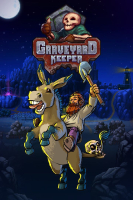


From the creators of Punch Club comes the most inaccurate medieval cemetery management sim of the year. Welcome to Graveyard Keeper.
A man suddenly gets transported to a medieval town and has to work as a graveyard keeper. With the help of a talking skull named Gerry, you must clean up your property, take care of bodies, and turn your run-down graveyard into a thriving business.
Support Summary
Widescreen | Ultra/Super‑Wide | Multi-Monitor | 4K Ultra HD | |
Support | ||||
Method | ||||
HUD | ||||
Cutscenes | ||||
FMVs |
Game Information
Screenshots Comparison
Solutions & Issues
Resolutions taller than 1440 pixels (e.g., 16:10 @ 2560x1600) require a DLL hack to render at native resolution, but the game will still run and look mostly the same without the hack. See ultra-wide section.
Intro video shown when creating a save file is pre-rendered at 968x552 and may appear small at higher resolutions.
A DLL modification hack is required to run natively at resolutions wider than 2560 px or taller than 1440 px. The game will still run and look mostly the same without the hack. See PCGamingWiki link for detailed instructions on how to accomplish this hack.
Occasionally in 21:9 and often in 32:9 resolutions, out-of-bounds or unintended areas can be seen and may cause confusion. Weather effects such as rain and fog will only cover the left-most 2560 pixel area from the left and then stop rendering the effect beyond that point, leaving the right-most third of 21:9 and right half of 32:9 resolutions without weather effects. Gameplay mechanics are unaffected.
Even with the hack, the main menu is pillarboxed slightly in 3440x1440 (21:9) resolution and significantly at 5120x1440 (32:9) resolution.
Even with the DLL modification hack and manually overriding windowed resolution via registry edit, game will not run in windowed mode at resolutions wider than 2560 px or taller than 1440 px and will resize itself to the largest resolution available after the develop's splash screen. Fullscreen and borderless windowed modes untested, but likely unaffected by this glitch.
A DLL modification hack is required to run natively at 4k resolution. However, even with the hack, the main menu will be letterboxed and pillarboxed. See PCGamingWiki link for detailed instructions on how to accomplish this hack.
Occasionally at 4k out-of-bounds or unintended areas can be seen and may cause confusion.
Gameplay Screenshots


In-Game (Rendered) Cutscenes


Menu Screenshots


4K UHD Screenshots


