


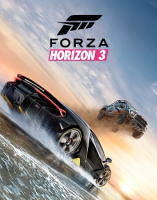


Forza Horizon 3 is an open world racing video game developed by Playground Games and published by Microsoft Studios for Xbox One and Microsoft Windows. The game features cross-platform play between the two platforms. The game was released on 23 September 2016 for Ultimate Edition players, and 27 September 2016 for standard and Deluxe Edition players. It is the third Forza Horizon and the ninth instalment in the Forza series. As with previous Horizon games, Turn 10 Studios assisted Playground Games in the game's development. It is set in a fictional representation of Australia. Additional content has been released in the form of car packs and two world expansions, which also include additional cars.
(Source: Wikipedia)
Support Summary
Widescreen | Ultra/Super‑Wide | Multi-Monitor | 4K Ultra HD | |
Support | ||||
Method | ||||
HUD | ||||
Cutscenes | ||||
FMVs |
Game Information
Screenshots Comparison
Solutions & Issues
Game seems to only run in Windowed Fullscreen mode, not Exclusive Fullscreen mode. This may mean that there are some dependencies between your in-game resolution and your desktop resolution. For best results, before you start the game, make your desktop resolution the same as your desired in-game resolution.
NOTE: Nvidia Surround worked when this game was released, then was broken by a GeForce driver release sometime after the fact, but now works again. I tested with GeForce drivers v398.82 (2018-08-01) and had no issues anymore.
Game seems to only run in Windowed Fullscreen mode, not Exclusive Fullscreen mode. This may mean that there are some dependencies between your in-game resolution and your desktop resolution. For best results, before you start the game, make your desktop resolution the same as your desired in-game resolution.
HUD is not Optimized with default settings, but settings can be adjusted to make it Optimized. Go to [Settings > HUD and Gameplay > HUD Safe Frame Horizontal] and set the slider value to suit your needs. For me at 6060x1200, the maximum value of "101" made it perfectly centered on the middle monitor. If you have a different kind of setup than 3x1, you can adjust the [HUD Safe Frame Vertical] value too. There is also a [Settings > Video > Basic > User Interface Scale] setting that I haven't tested, but could come in handy for some.
FMV cut-scenes seem to be displayed at a weird lower resolution in Surround/Eyefinity. But I think the only FMV cut-scenes are the intro logos when you start up the game, so this is a pretty minor issue.
Gameplay Screenshots


Menu Screenshots


