


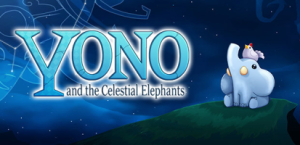


Yono and the Celestial Elephant is a grand adventure, featuring carefully designed puzzles, treasure hunts, a sprinkling combat and a world full of people. Play as a young elephant tasked to save a world he’s never seen before, and explore the rich history of a kingdom where humans, zombies and robots live side by side.
Support Summary
Game Information
Screenshots Comparison
Solutions & Issues
Native support: Hor+
Tech: Unity
Hold Shift while launching the game to open the config launcher.
Settings are stored in the registry: HKEY_CURRENT_USER\Software\Neckbolt\Yono and the Celestial Elephants\
GUI Scale Factor only affects the HUD, so you can set it to 0x for maximum pachydermal immersion and cuter screenies: simply replace the hex string for guiScale with zeros in the registry.
Manual edit: Hor+
Use launch options -screen-width -screen-height (e.g -screen-width 3440 -screen-height 1440).
Or... set ScreenManager Resolution Height & Width in HKEY_CURRENT_USER\Software\Neckbolt\Yono and the Celestial Elephants\
Or... use Borderless Gaming once.
Either way your native resolution will then be commited to elephant memory.
- Main menu items are not displayed in aspects wider than 1.85:1 !
- GUI Scale Factor slider is trampled by other menu elements.
Manual edit: Hor+
Same method as for UltraWide.
You may also set a screen width inferior to the total width of your display (e.g 4000 instead of 7680). The resulting pillarboxed, UltraWide-like picture will alleviate the following issues.
- Main menu items are invisible... but the whole menu is cut-off anyway.
- Other UI elements are magnified, cut-off or overlapping.
Native support.
Gameplay Screenshots


In-Game (Rendered) Cutscenes


FMV Cutscenes


Menu Screenshots


4K UHD Screenshots


Additional Screenshots


