


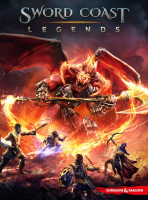


Set in the lush and vibrant world of the Forgotten Realms, Sword Coast Legends offers a novel new way to enjoy the time-tested magic of playing Dungeons & Dragons as a shared storytelling experience.
Support Summary
Screenshots Comparison
Solutions & Issues
Native HOR+ but no 4:3 resolutions - for 4:3 resolutions you need to run it windowed and use Borderless Gaming.
The are only 16:10 and 16:9 resolutions - to get it HOR+ and proper Menus in 21:9 you need Borderless Gaming and CheatEngine.
Run it windowed and use Borderless Gaming for Fullscreen.
Now Alt Tab and start CheatEngine. Look for 80 07 00 00 38 04 mark them all and change every Instance to 80 0A 00 00 38 04
Go back to the Game. Problem is you need to do it every time you start the Game and every time you load a Savegame.
I tried to make a fixed Pointer but the HUD MAP Menus and Options has too many Adresses. Maybe someone with better CheatEngine skills can create a fixed Solution.
Same as in Ultra Widescreen - run it windowed and use Borderless Gaming for Fullscreen.
Now Alt Tab and start CheatEngine. Look for 80 07 00 00 38 04 mark them all and change every Instance to 80 16 00 00 38 04
Native HOR+
Gameplay Screenshots


In-Game (Rendered) Cutscenes


FMV Cutscenes


Menu Screenshots


4K UHD Screenshots


Additional Screenshots


