


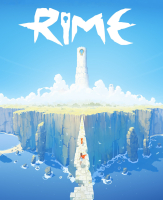


RiME is a single-player puzzle adventure game about a young boy shipwrecked on a mysterious island after a torrential storm. Players must use their wits to decipher the challenges and secrets of an expansive world strewn with rugged terrain, wild creatures and the crumbling ruins of a long-forgotten civilization. With subtle narrative, colorful artwork and a sweeping score, RiME offers players a meaningful journey filled with discovery.
Support Summary
Game Information
Game Status:Released
Release Date:
Tested Version:Steam 1.4
Play Styles:Single-Player
Genre:Puzzle Adventure
Developer:Tequila Works
Screenshots Comparison
Solutions & Issues
Widescreen Solution & Issues:
Native support: Vert+
Tech: UE4
- Custom FOV:
%LOCALAPPDATA%\SirenGame\Saved\Config\WindowsNoEditor\GameUserSettings.iniFieldOfViewScale=0.500000
This multiplier affects gameplay, cutscenes, main menu scenes and even the intro logos ! - (Negligible?) Secret keyholes: every newly found picture is squished to fit sub-16:9 resolutions during a short fullscreen preview. It then scales correctly in the gallery.
Ultra/Super-Wide Specific Solution & Issues:
Native support: Hor+
- Main menu is pillarboxed.
- Rare places where the FOV increases dramatically for a fraction of a second. Most notable when switching to first-person view on special pedestals but also happens here and there while free-roaming. Does not hurt gameplay.
- Newly found keyhole pictures stretch during preview. They scale correctly in the gallery.
Eyefinity / Surround Specific Solution & Issues:
Native support: vastly Hor+
FieldOfViewScale=0.75is better for TripleWide gameplay... but worse for cutscenes. See Additional Screenshots.- Main menu is pillarboxed.
- Rare places where the FOV increases dramatically for a fraction of a second.
- Newly found keyhole pictures stretch during preview. They scale correctly in the gallery.
4K UHD Specific Solution & Issues:
Native support.
Gameplay Screenshots
4:3 Screenshot

16:10 Screenshot

16:9 Screenshot

21:9 Screenshot

32:9 Screenshot

Eyefinity / Surround Screenshot

In-Game (Rendered) Cutscenes
4:3 Cutscene

16:10 Cutscene

16:9 Cutscene

21:9 Cutscene

Eyefinity / Surround Cutscene

Menu Screenshots
4:3 Menu

16:10 Menu

16:9 Menu

21:9 Menu

Eyefinity / Surround Menu

4K UHD Screenshots
4K Gameplay Screenshot

4K In-Game Cutscene

4K Menu Screenshot

Additional Screenshots

Multi-mon Gameplay w/ FOV scale 0.75

Multi-mon Cutscene w/ FOV scale 0.75

Tallscreen Gameplay (1440x2560)

Tallscreen Cutscene (1440x2560)

First-Person Puzzle, 9:16

First-Person Puzzle, 4:3

First-Person Puzzle, 16:10

First-Person Puzzle, 16:9

First-Person Puzzle, 21:9

First-Person Puzzle, 48:9

Loading Screen, 4:3

Loading Screen, 16:10

Loading Screen, 16:9

Loading Screen, 21:9

Loading Screen, 48:9


