


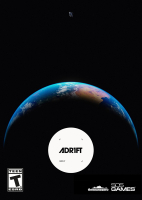


ADR1FT is an immersive First Person Experience (FPX) that tells the story of an astronaut in peril. Floating silently amongst the wreckage of a destroyed space station with no memory and a severely damaged EVA suit, the only survivor struggles to determine the cause of the catastrophic event that took the lives of everyone on board. The player fights to stay alive by exploring the wreckage for precious resources, and overcomes the challenges of an unforgiving environment to repair the damaged emergency escape vehicle and safely return home.
Support Summary
Game Information
Screenshots Comparison
Solutions & Issues
Native "Vert+" support.
Tech: Unreal Engine 4. Settings are encrypted in .sav files under %USERPROFILE%\AppData\Local\ADR1FT\Saved\SaveGames\
- FOV slider is not graduated and can only go up - default FOV is the minimum.
- The list of available resolutions is hard-coded; for other resolutions select Windowed Fullscreen.
Resolution setting can be used for downsampling e.g on a 1680x1050 monitor, selecting 5760x1200 or 3840x2160 will result in much crisper graphics (and lower framerates) without altering the aspect ratio. - Main menu is letterboxed and "Vert+" at the default FOV.
- Sun's position appears to be slightly different in 1920x1080 than in any other resolution !
Native Hor+ support through the FOV slider.
- Hard-coded Ultrawide resolutions: 2560x1080 & 3440x1440. For 3840x1600, try 5760x1200 in Windowed Fullscreen - or 3840x2160 if your GPU can manage the ~3M additional pixels.
- Main menu scene is Hor+/Vert+ and there's a hole in the letterboxing. (Negligible/cosmetic flaw.)
Native Hor+ support with a bit of tweaking and a hard limit in rendering quality.
Hard-coded Multi-mon resolutions: 3840x1024, 5760x1080, 5760x1200. For higher resolutions, select 3840x2160 + Windowed Fullscreen.
Set FOV to the max or slightly below.
- Main menu scene is pillarboxed and massively Vert+.
- Sun is very bright, its position is not quite fixed and it even flies away when you look to the left of it !
- Intro logos and rolling credits scale to the left monitor. Menus span, submenus are centered.
Native support for fullscreen 3840x2160.
Gameplay Screenshots


In-Game (Rendered) Cutscenes


Menu Screenshots


4K UHD Screenshots


Additional Screenshots


