


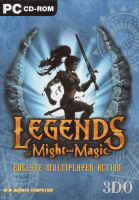


Multiplayer-only first-person action game set in the Might and Magic universe.
Support Summary
Game Information
Screenshots Comparison
Solutions & Issues
All resolutions are detected both in-game and in the launcher. HUD and menus have fixed dimensions across all resolutions.
Changing resolutions in-game may cause problems; set the resolution with the legends.exe launcher to avoid this or edit autoexec.cfg in the installation folder (set the ScreenWidth and ScreenHeight values to the desired resolution).
For resolutions higher than 2048x2048 use dgVoodoo 2 to remove the resolution limit (increase VRAM on the DirectX tab if the game crashes or switches to a different resolution).
dgVoodoo 2 can remove the resolution limit but the FOV is too low due to Vert- behavior.
dgVoodoo 2 can remove the resolution limit but the FOV is far too low due to Vert- behavior.
Gameplay Screenshots


Menu Screenshots


