


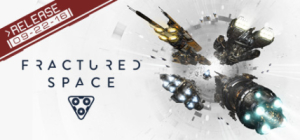


Fractured Space is a competitive 5-v-5 tactical space battle game fought over five sectors. Brought to life in the stunning Unreal Engine 4, giants of interstellar conflict fight in spectacular close quarter battles for dominance.
Epic Space Battles
Fractured Space’s team-based 5v5 battles hinge on teamwork. Those who can strategise and work together to dominate the battlefield’s objectives will take the enemy base, and victory. Unity is strength.
The Fractured Space universe is always evolving. Regular additions are made to the roster of ships and arsenal of weapons. Frequent gameplay updates mean there’s always something new to adapt to.
(Source: official site)
Support Summary
Game Information
Screenshots Comparison
Solutions & Issues
Fracture Space is Vert- game in stock. It can be Hor+.
Solution:
1. Find Engine.ini file in "%LOCALAPPDATA%\spacegame\Saved\Config\WindowsNoEditor". %LOCALAPPDATA% is windows variable. Copy it path to your explorer with % character.
2. Edit Engine.ini file. It usual text file.
3. Append this two string:
[/Script/Engine.LocalPlayer]
AspectRatioAxisConstraint=AspectRatio_MaintainYFOV
4. make this file read only.
4.1. right mouse click on it.
4.2. click properties
4.3. set read only check box
4.4. click Ok.
Now game will be hor+.
On multi monitor setup Fractured Space is Vert- game in stock. Use ini-editing (see widescreen solution) to get hor+.
HUD will be on left side of left monitor and righ side of right monitor and with stretched HUD on center monitor. It's terrible!
HUD position in hangar also affects to using hangar.
Gameplay Screenshots


Menu Screenshots


Additional Screenshots


