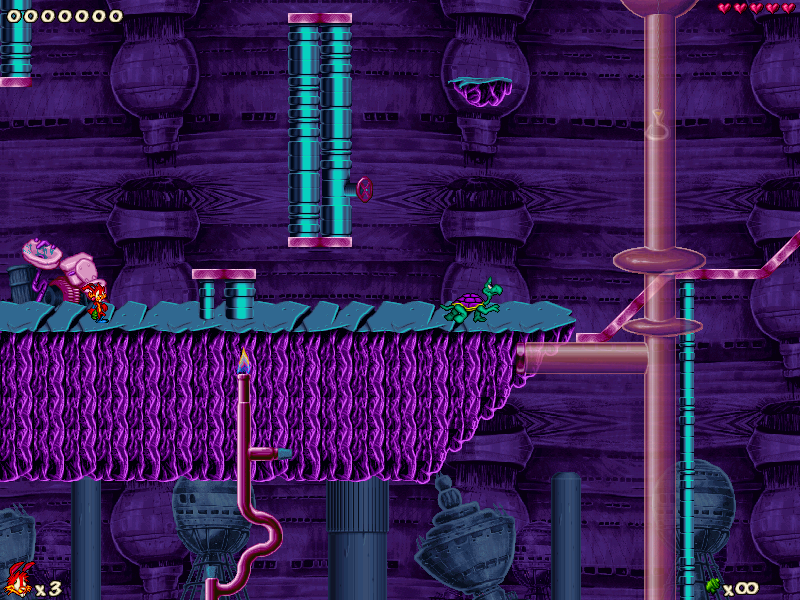
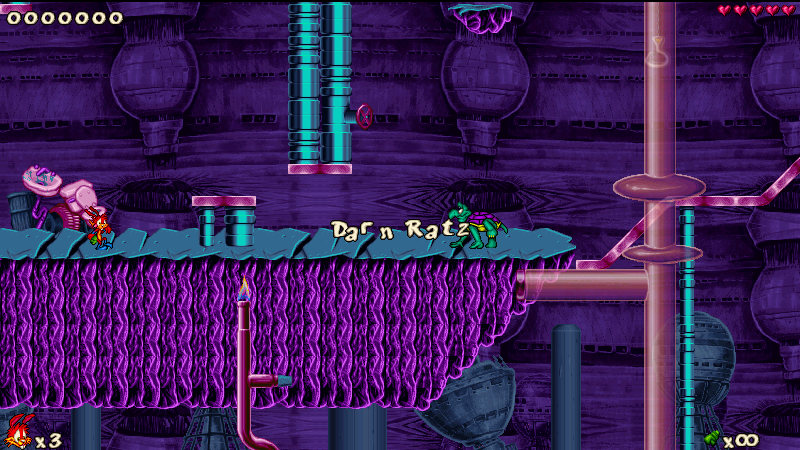
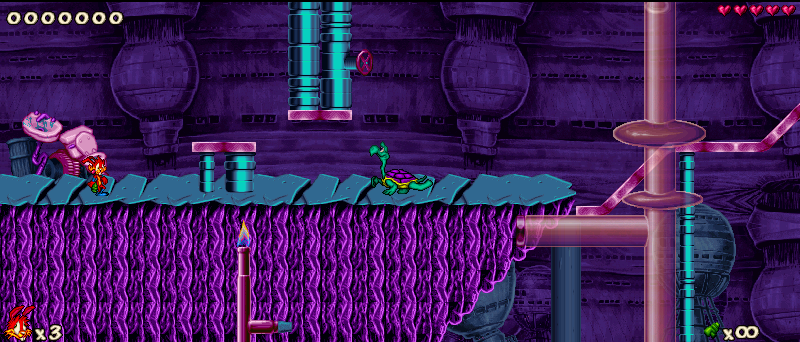
Jazz Jackrabbit 2 is a platform game produced by Epic MegaGames, now known as Epic Games. It was accidentally confirmed by Arjan Brussee in 1994 [2] and released in 1998 for PCs running Windows, and later for Macintosh computers. Like the prequel, Jazz Jackrabbit, Jazz Jackrabbit 2 is a side-scrolling platform game but features additionally multiplayer options, including the ability to play over a LAN or the Internet.
Support Summary
Widescreen | Ultra/Super‑Wide | Multi-Monitor | 4K Ultra HD | |
Support | ||||
Method | ||||
HUD | ||||
Cutscenes | ||||
FMVs |
Game Information
Screenshots Comparison
Solutions & Issues
All you have to do is download the latest version of JJ2 Plus [JJ2+] from here: http://www.jazz2online.com/jcf/showthread.php?t=19489
Keep in mind that you need version 1.23 or 1.24 to be able to apply the patch. LK Avalon version isn't supported.
Once installed, you can set any resolution below 800x600.
Tested Resolutions:
800x450 [16:9 ]
800x480 [15:9 ]
768x480 [16:10]
720x450 [16:10]
640x400 [16:10] Native
640x360 [16:9 ]
320x200 [16:10] Native
Only resolutions that are supported Natively will let you switch to window mode. Rest can only be played in Fullscreen. You need to set custom resolution through your graphics card's control panel. You can't minimize or Alt Tab the game if you use non native resolution of the game, cause it will cause black screen to your game and you have to close it using alt+f4.
Same Method as baseline Widescreen.
Tested Resolution:
800x342
Kind of vert- due to pixel based FOV but playable without any issues regarding gameplay.
The process is as same as Baseline Widescreen method. Since, you have to use a resolution that's equivalent or less than 800x600 and the game's FOV is pixel based, you have to suffer from Vert- problem.
Tested Resolution:
800x150
Gameplay is significantly affected due to lack of viewing area. Nonetheless, the game works perfectly.
Only way to use a resolution that's more than 800x600 is by using "Bigjazz" [An unofficial tool] which crashed when I tried to select 4k. Anything over 1920x1200 becomes very unstable and might crash immediately [While selecting 4k crashed everytime].
Even if you manage to run the game at 4k without crashing, the HUDs will become unusable and the game is pixel based. Good luck playing with ant size characters.
If you want to avoid the blurry filtering when upscaling the game to 4k monitors with fullscreen mode [or borderless window mode], you may try the following workaround: https://www.jazz2online.com/jcf/showthread.php?t=20030
Gameplay Screenshots