


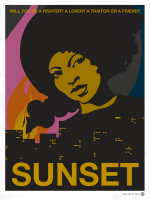


You are Angela Burnes, a houskeeper and immigrant to the town of San Bavón, Anchuria. Every week, an hour before sunset, you clean the swanky bachelor pad of Gabriel Ortega. You are given a number of tasks to do, but the temptation to go through his stuff is irresistible. As you get to know your mysterious employer better, you are sucked into a rebellious plot against a notorious dictator. (source: official site)
Support Summary
Game Information
Game Status:Released
Release Date:
Tested Version:DRM-free 1.06
Play Styles:Single-Player
Setting:Modern
Genre:Adventure (misc)
Developer:Tale of Tales
Store Links:
Screenshots Comparison
Solutions & Issues
Widescreen Solution & Issues:
Native Hor+ support. An FOV slider is also present.
- The UI is formatted for 16:9 and shows cosmetic blemishes in lower aspects.
- Uncommon aspect ratios like 15:9 (1280x768) may require the registry edit detailed below.
Ultra/Super-Wide Specific Solution & Issues:
A registry edit is required.
- Launch the game.
- Press Alt+Enter to switch to fullscreen mode (pillarboxed).
- Open the options menu and click the OK button near the SCREEN setting. No need to change the resolution; the important thing is to click OK.
- Quit the game.
- Run regedit to access this key: HKEY_CURRENT_USER\Software\Tale of Tales\SUNSET
- Look for UserOption_ScreenResolution_h280363882 and edit the values for width and height to your liking
e.gUserOption_ScreenResolution_h280363882 2560 1080for 2560x1080 or
e.gUserOption_ScreenResolution_h280363882 3440 1440for 3440x1440.
- Some UI elements stretch and/or overlap.
Eyefinity / Surround Specific Solution & Issues:
A registry edit is required.
- Launch the game.
- Press Alt+Enter to switch to fullscreen mode (pillarboxed).
- Open the options menu and click the OK button near the SCREEN setting. No need to change the resolution; the important thing is to click OK.
- Quit the game.
- Run regedit to access this key: HKEY_CURRENT_USER\Software\Tale of Tales\SUNSET
- Look for UserOption_ScreenResolution_h280363882 and edit the values for width and height to your liking
e.gUserOption_ScreenResolution_h280363882 5760 1080for 5760x1080.
- The UI shows stretched, magnified and overlapping elements.
- Distant reflections look noticeably worse than in widescreen.
4K UHD Specific Solution & Issues:
Native support.
Gameplay Screenshots
4:3 Screenshot

16:10 Screenshot

16:9 Screenshot

21:9 Screenshot

32:9 Screenshot

Eyefinity / Surround Screenshot

In-Game (Rendered) Cutscenes
4:3 Cutscene

16:10 Cutscene

16:9 Cutscene

21:9 Cutscene

Eyefinity / Surround Cutscene

FMV Cutscenes
4:3 FMV Cutscene

16:10 FMV Cutscene

16:9 FMV Cutscene

21:9 FMV Cutscene

Eyefinity / Surround FMV Cutscene

Menu Screenshots
4:3 Menu

16:10 Menu

16:9 Menu

21:9 Menu

Eyefinity / Surround Menu

4K UHD Screenshots
4K Gameplay Screenshot

4K In-Game Cutscene

4K FMV Cutscene

4K Menu Screenshot

Additional Screenshots

Writing Diary, 4:3

Writing Diary, 16:10

Writing Diary, 16:9

Writing Diary, 21:9

Writing Diary, 48:10

Using Telescope, 4:3

Using Telescope, 16:10

Using Telescope, 16:9

Using Telescope, 21:9

Using Telescope, 48:10
Resolutions & Configurations
15:9 Resolutions:1280x768
Eyefinity / Surround Resolutions:5760x1200
4K UHD Resolutions:3840x2160
Multi-Monitor Types:Nvidia Surround
Multi-Monitor Layouts:3x1-L


