


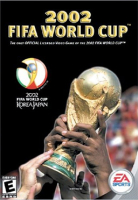


2002 FIFA World Cup, sometimes known as FIFA World Cup 2002, is the official World Cup video game published by EA Sports. Some kits are licensed, along with player likeness and the stadia of the 2002 FIFA World Cup. Unlike the previous games in the FIFA series, the game had an original soundtrack performed by the Vancouver Symphony Orchestra. It was released for Windows, PlayStation, PlayStation 2, GameCube, and Xbox.
Support Summary
Game Information
Screenshots Comparison
Solutions & Issues
Solution:
Any kind of custom resolution that's below 1920x1200 can be added in the "3dsetup.ini".
The ini file is located in "%:\Fifa World Cup 2002\3DSetup"
1] Open the 3dsetup.ini file with any text editor
2] In the 3rd line which starts with "CARD_ALL /C:16 /TB:0 ..", you can see a list of resolutions.
3] Change the resolutions to whatever you desire [As long as it's below 1920x1200]
CARD_ALL /C:16 /TB:0 /R:640x360 /R:640x400 /R:640x480 /R:720x450 /R:720x480 /R:800x480 /R:840x360 /R:854x480 /R:800x600 /R:1024x576 /R:1024x600 /R:1024x768 /R:1000x800 /R:1280x548 /R:1280x720 /R:1280x768 /R:1280x800 /R:1280x1024 /R:1440x900 /R:1600x900 /R:1920x1080 /R:1920x1200
4] Save the .ini file and select the custom resolution from "3DSetup.exe".
Known Issues:
Setting a resolution below 640x360 crashes the game which is cause by texture size of various objects [Example: Kits] to reach above the resolution's limit.
In 640x360, you can't exit the game since confirmation option for closing the game goes below the screen. You have to press "CTRL+ALT+Delete" and close it via task manager.
The main menu is always set to "640x480". Resolutions other than 640x480 will work only after a match starts.
If 640x480 doesn't work, then you need to add 640x480 as custom resolution. Or you can set "WINDOWED=0" in soccer.ini which is located in the game's root folder.
^But then you're stuck with 640x480, no matter what resolution you set in 3dsetup. Neither does any fullscreenizer tool work.
Tested Resolutions:
A lot of the resolutions I've tested aren't available in the "Tested Resolutions & Configurations" menu. So it's fair to note them here:
16:9 resolutions:
640x360
854x480
1024x576
1280x720
1366x768
16:10 resolutions:
640x400
1024x640
1280x800
1440x900
5:3 resolutions:
800x480
1280x768
Other resolutions:
720x480
1024x600
Solution:
Same solution as Baseline Widescreen Support.
Tested Resolutions:
840x360
1280x548
840x360 suffers the same issue as 640x360 [mentioned in baseline widescreen support section].
You need to make a custom resolution of 1920x360.
Then follow the solution for baseline widescreen monitors.
It barely works and doesn't qualify as playable.
Game will crash if you try to run it on 4k.
Using DgVoodoo2 will prevent the crash but the grass texture will suddenly vanish few minutes after you start a match. Game also randomly crashes [And some of them are before you can even finish a match].
So unlike FiFA 2002, the game is currently unplayable at 4k until there's a fix for prevent crash and texture glitches.
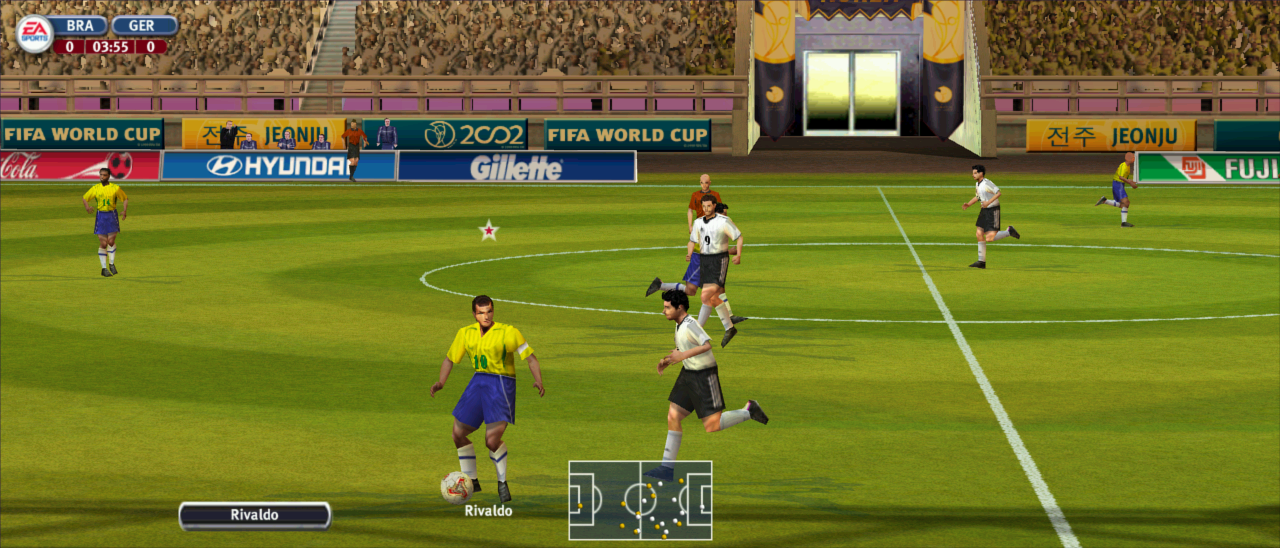
Gameplay Screenshots




Additional Screenshots


