


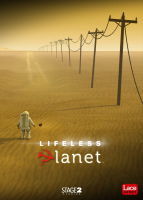


An international team of astronauts embarks on a one-way journey to a distant planet reported to be Earth-like, intact and lush with life... If only they had read the title. Developed by a one-man studio helped by a modest crowdfunding campaign, this third-person adventure consists mostly of light puzzling and jumppack-assisted platforming across atmospheric scenery. Following the game's release on consoles, the PC version was patched to a Premier Edition in late July, 2015. Among other changes this free update saved the picture from stretching on wider-than-HD displays.
Support Summary
Game Information
Screenshots Comparison
Solutions & Issues
Native Hor+ support of 16:9 and 16:10 resolutions.
For less common aspects like 15:9 (1280x768), use launch options: -screen-width 1280 -screen-height 768
(In Steam, Launch options are found in the General tab of the game's Properties. You may also add them to a shortcut, at the end of the Target field.)
Launch options supersede the launcher app's Screen resolution setting. Click 'Play!' and you're all set.
- The only "FMV" in the game is actually a moving 3D object used as a loading screen, hence the Hor+ screen change.
- Non-widescreen: the UI does not adapt to standard resolutions. Mobile Robotic Arm controls are cut-off in 4:3 and 5:4.
Use the launch options pertaining to your resolution:
-screen-width 2560 -screen-height 1080or-screen-width 3440 -screen-height 1440
Same method: use launch options -screen-width xxxx -screen-height yyyy e.g for 5760x1080: -screen-width 5760 -screen-height 1080
Native support.
Gameplay Screenshots


In-Game (Rendered) Cutscenes


FMV Cutscenes


Menu Screenshots


4K UHD Screenshots


Additional Screenshots


