


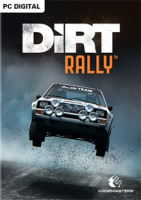


DiRT Rally captures the essence of what makes rally unique – that sense of trying to remain in control of your emotions, as you hurtle along dangerous, undulating roads at breakneck speed, aiming to squeeze everything out of your car whilst knowing that one crash could irreparably harm your stage time. It’s the ultimate test of a driver’s skill, and it’s the ultimate in high risk, high reward gameplay.
Support Summary
Game Information
Screenshots Comparison
Solutions & Issues
Native Hor+ support.
- Camera Field Of View: a FOV offset can be found in Profile, Game Preferences. Only affects bumper/bonnet/cockpit cameras.
- Animated 2D backdrops are "Vert+".
Tech: EGO 2.5. Settings are stored in %USERPROFILE%\Documents\my games\DiRT Rally\hardwaresettings\hardware_settings_config.xml
(There are several ways to mod the FOV in Dirt Rally and later Ego engine games, see the discussion thread for details.)
Native Hor+ support.
- Animated 2D backdrops are Hor+.
- Tutorial videos stretch !
Native Hor+ support minus a sliver of vertical FOV.
- FOV and perspective are slightly altered, even in classic 15:4 TripleHead.
- Camera Field Of View can help reclaim lost Vert FOV on bumper/bonnet/cockpit views although they're not all affected equally.
- Shader Detail: the DOF-like blur applied mostly behind menus and on the finish line looks stretchy and aliased in Multi-Mon. Set Shader Detail to Low or Ultra Low to remove it.
- Animated 2D backdrops are Vert-, main menu backdrop is also pillarboxed.
Native support.
Gameplay Screenshots


In-Game (Rendered) Cutscenes


FMV Cutscenes


Menu Screenshots


4K UHD Screenshots


Additional Screenshots


