


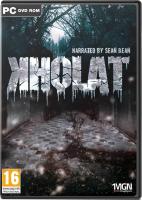


Investigate the deaths of nine students on an expedition in the Ural in 1959. Armed with a list of coordinates, use your map and compass to reach haunted landmarks - and your ears to locate clues along the way. A chilly adventure with a shroud of mystery, a hint of danger and a lot of hiking.
Support Summary
Game Information
Screenshots Comparison
Solutions & Issues
Native "Vert+" support. HFOV can be adjusted via a slider under Game Options (default 85, range 70-100).
- FOV setting affects all gameplay elements - not just the environment but also the compass, map, journal and zoom. A higher FOV pushes held objects away from the camera and weakens the zoom.
- Cut-scenes and the main menu backdrop on the other hand have a locked FOV.
- Loading screen art is squished in aspects lower than 16:9.
Set FOV to 100 and forget about it, or use the Multi-monitor solution detailed below.
For a strictly Hor+ screen change compared to FOV 85 in 16:9, fixed FOV should be:
101.40 at 2560x1080
101.84 at 3440x1440
Maximum FOV should be:
115.63 at 2560x1080
116.03 at 3440x1440
- Cut-scenes, FMVs and main menu backdrop remain Vert-.
- Loading screens stretch.
Max in-game FOV is much too low for real support. The fixed FOV must be set in two places:
- %LOCALAPPDATA%\Kholat\Saved\Config\WindowsNoEditor\Game.ini
- %LOCALAPPDATA%\Kholat\Saved\Config\WindowsNoEditor\GameUserSettings.ini
[/Script/Kholat.KholatPlayerCameraManager]ConfigFOV=
(These lines may not be present if in-game FOV slider was never used)
FOV=
For a strictly Hor+ screen change compared to FOV 85 in 16:9, fixed FOV should be:
125.29 at 3840x1024
140.02 at 5760x1080
(137.97 at 6060x1200 in the screenshots below)
Maximum FOV should be:
136.62 at 3840x1024
148.75 at 5760x1080
All values obtained using FOVCalc.
- Zoom VFOV is lower and sprint VFOV higher than the 16:9 baseline; the wider spectrum of FOV changes makes the flow of gameplay less natural.
- DOF is also stronger and shallower: objects are more blurred, over a longer distance.
- Cut-scenes, FMVs and main menu backdrop remain Vert-.
- Loading screens are broken (stretched background, Vert- foreground).
- Subtitles are huge.
Native support.
Gameplay Screenshots


In-Game (Rendered) Cutscenes


FMV Cutscenes


Menu Screenshots


4K UHD Screenshots


Additional Screenshots


