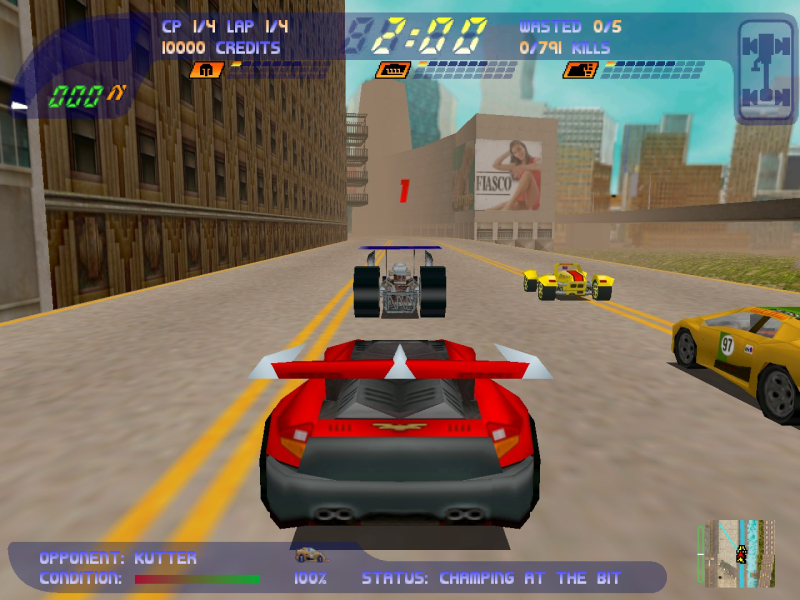


The world's first high-speed internal organ liberation simulator is back in full 3D! The slaughter is bloodier, the body parts fly further, and the destruction is heavier. Crash and burn through the 3D rendered crowds with the pedal to the metal. Destroy your opponents every which way possible, the more creative the destruction, the better the rewards. No rules, no compromise, NO MERCY!
Carmageddon 2: Carpocalypse Now is the sequel to the sensational "Game of the Year" smash and trash blockbuster from 1997. The creators of the original Carmageddon packed the follow-up with more action, fun, and mayhem! Play chicken with an airplane! Fry pedestrians with the Electro Bastard Ray! All of the fun and none of the responsibility of motorized murder and mayhem in one huge package. What are you waiting for? Gear up and ride out!
Support Summary
Widescreen | Ultra/Super‑Wide | Multi-Monitor | 4K Ultra HD | |
Support | ||||
Method | ||||
HUD | ||||
Cutscenes | ||||
FMVs |
Game Information
Screenshots Comparison
Solutions & Issues
Follow these steps to to play this game with a custom resolution:
- Download the newest nGlide from my Dropbox: *Click*
- Head over to Carmageddon 2's root folder (Steam: [STEAM]\SteamApps\common\Carmageddon2\).
- Extract the nGlide.zip into the directory, overriding existing files.
- Execute nglide_config.exe.
- Change "Screen resolution" to your desired resolution and set "Aspect ratio" to "4 : 3".
- Hit "Save" and afterwards "Exit".
- Now start Carmageddon 2 as usual.
Same as Baseline Widescreen.
Not supported.
Same as Baseline Widescreen.
Gameplay Screenshots