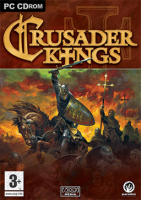
Crusader Kings

Europe is in turmoil. The lands are fragmented into petty fiefs and the Emperor struggles with the Pope. At this very moment the Pope has declared that those who go to liberate the Holy Land will be freed of all sins.

Gather prestige and piety and the world will whisper your name in awe. Will you co-opt other monarchs, and the Pope, under your leadership to liberate the Holy Land? Do you have what it takes to become a Crusader King?

Support Summary

Widescreen
Ultra/Super‑Wide
Multi-Monitor
4K Ultra HD
Support
Method
HUD
Cutscenes
FMVs

Game Information

Game Status:Released
Release Date:
Tested Version:Steam
Setting:Historical

Screenshots Comparison

4:3 Screenshot
16:10 Screenshot
A monitor with a question mark on it. The text above it reads "There is currently no image uploaded for this field." There is a semi-transparent WSGF logo in the background, while the main background is white. The image aspect ratio is 16:10.
16:9 Screenshot
21:9 Screenshot
A monitor with a question mark on it. The text above it reads "There is currently no image uploaded for this field." There is a semi-transparent WSGF logo in the background, while the main background is white. The image aspect ratio is 21:9.
32:9 Screenshot
Eyefinity / Surround Screenshot
Solutions & Issues
Widescreen Solution & Issues:

Due to there being no resolution settings in-game, the only way to change resolution is in the games files

Navigate to %SteamDir%/SteamApps/common/Crusader Kings

Open settings.txt and change 1024 and 768 to desired resolution (for a resolution of 1920x1080, change 1024 to 1920 and 768 to 1080)

Gameplay renders fine, but the menu is offset to the top left corner of the screen

4:3 Screenshot
16:10 Screenshot
A monitor with a question mark on it. The text above it reads "There is currently no image uploaded for this field." There is a semi-transparent WSGF logo in the background, while the main background is white. The image aspect ratio is 16:10.
16:9 Screenshot
21:9 Screenshot
A monitor with a question mark on it. The text above it reads "There is currently no image uploaded for this field." There is a semi-transparent WSGF logo in the background, while the main background is white. The image aspect ratio is 21:9.
32:9 Screenshot
Eyefinity / Surround Screenshot
16:9 Resolutions:1920x1080