


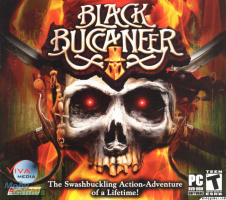


The Black Buccaneer Detailed Report needs to be completed at some point
Support Summary
Screenshots Comparison
Solutions & Issues
Widescreen Solution & Issues:
If you want to play Black Buccaneer in a custom resolution you will have to edit the following file:
C:\Program Files\10TACLE STUDIOS\Black Buccaneer\pc.cfg
Here's an example of the file:
SetBkInt32 MODE_WIDTH 2560
SetBkInt32 MODE_HEIGHT 1600
SetBkInt32 MODE_COLOR_DEPTH 32
SetBkInt32 MODE_Z_DEPTH 32
SetBkBool FULLSCREEN TRUE
SetBkReal GAMMA 1.0
SetBkInt32 DEVICE_CONTEXT 0
SetBkInt32 ASPECT_WIDTH 16
SetBkInt32 ASPECT_HEIGHT 10
I've made it bold what you need to edit.
Gameplay Screenshots
4:3 Screenshot

16:10 Screenshot

16:9 Screenshot

21:9 Screenshot

32:9 Screenshot

Eyefinity / Surround Screenshot


