


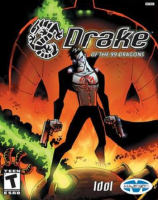


A 3rd person shooter starring Drake, an undead assassin who is on a quest to avenge his murdered clan (the 99 Dragons)
Support Summary
Game Information
Game Status:Released
Release Date:
Tested Version:Retail
Play Styles:Single-Player
Setting:Cartoon
Genre:Third-Person Shooter
Developer:Idol FX
File Attachments:Drake.exe cheat table.7z
Screenshots Comparison
Solutions & Issues
Widescreen Solution & Issues:
Max supported native resolution is 1600x1200.
Hex edit method (recommended):
- Open Drake.exe in a Hex editor.
- Search for "AB AA AA 3F 89 85 74 03 00".
- Replace with "39 8E E3 3F 89 85 74 03 00" for 16:9.
- Save the file.
Cheat Engine Method:
How to use the attached cheat table:
After pressing "Play" in the launcher and the intros finish alt+tab out.
Change width+height to desired resolution.
Change Value Type in search to Float, Enter "1.333333" into scan Value, and press New Scan.
Double click the first found address to add it.
Double click the value on the address you just added and enter the desired aspect ratio. (e.g. 2.38 for 21:9).
Start a new game or die and the HUD should fix itself.
Cursor might be sensitive horizontally in the menus.
Gameplay Screenshots
4:3 Screenshot

16:10 Screenshot

16:9 Screenshot

21:9 Screenshot

32:9 Screenshot

Eyefinity / Surround Screenshot

FMV Cutscenes
4:3 FMV Cutscene

16:10 FMV Cutscene

16:9 FMV Cutscene

21:9 FMV Cutscene

Menu Screenshots
4:3 Menu

16:10 Menu

16:9 Menu

21:9 Menu

4K UHD Screenshots
4K Gameplay Screenshot

4K FMV Cutscene

4K Menu Screenshot

Additional Screenshots

Video options menu


