


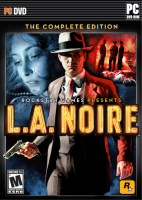


L.A. Noire is a crime video game developed by Team Bondi and published by Rockstar Games. The game is set in Los Angeles in 1947, a city of glamour, fame, and wealth, but also where crime, vice, and corruption are rife, and challenges the player, controlling a Los Angeles Police Department (LAPD) detective, to solve a range of cases across five crime desks. Players must investigate crime scenes for clues, follow up leads, and interrogate suspects, and the players' success at these activities will impact how much of the cases' stories are revealed.
As the title suggests, the game draws heavily from both plot and aesthetic elements of film noir – stylistic films from the 1940s and 1950s that shared similar visual styles and themes including crime, sex, and moral ambiguity and were often shot in black and white with harsh, low-key lighting. The game uses a distinctive colouring-style in homage to the visual style of film noir, including the option to play the game in black-and-white. Part of the gameplay includes interrogating both civilians and suspects in order to progress through the case.
Support Summary
Widescreen | Ultra/Super‑Wide | Multi-Monitor | 4K Ultra HD | |
Support | ||||
Method | ||||
HUD | ||||
Cutscenes | ||||
FMVs |
Game Information
Screenshots Comparison
Solutions & Issues
Native for till 16:9
Use Flawless Widescreen for proper Widescreen:
Fix is a little clunky at the moment, you need to launch the game with --windowed (add this to the command line paramemters in the L.A. Noire launcher, not the steam launch options), then go to settings in the game and choose resolution then change it to the newly availible resolution, after launching you can disable the fix to allow you to navigate in game.
Use Flawless Widescreen for proper Widescreen:
Fix is a little clunky at the moment, you need to launch the game with --windowed (add this to the command line paramemters in the L.A. Noire launcher, not the steam launch options), then go to settings in the game and choose resolution then change it to the newly availible resolution, after launching you can disable the fix to allow you to navigate in game.
------------------------------------------------------------------------------------------------------
OLD: NOTE: As of the 1.2 patch, you can no longer select certain widescreen or any eyefinity resolutions, the hack below will not work until Rockstar, or more likely, a community member either fixes support for eyefinity resolutions, or finds a way to force them.
Thanks to dopefish for this solution, please download and run this new version of the Widescreen Fixer tool to run L.A. Noire - http://www.widescreenfixer.org/wsf_test_lanoire.7z , do not overwrite your old Widescreen Fixer with this one, the old plugins are incompatible with it ...
It seems it is currently working only on the Steam version of the game ...
Native
Gameplay Screenshots


FMV Cutscenes


Menu Screenshots


4K UHD Screenshots


