


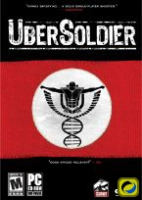


ÜberSoldier follows the journey of the fictitious Karl Stolz, a German soldier who has, through the process of being killed in duty, then being resurrected, acquired supernatural powers which aid him in combat. Just before he was indoctrinated by the Nazis, a member of the German Resistance rescued him and effectively changed his loyalties. Karl Stolz now became the ÜberSoldier of the German Resistance helping them destroy the "ÜberSoldier fabrication" infrastructure.
Support Summary
Game Information
Screenshots Comparison
Solutions & Issues
The config tool and in-game options can only detect 4:3 & 5:4 resolutions.
Solution for widescreen (found on the CDV forum: http://www.cdv-forum.com/cdvboard/english/archive/index.php?t-53273.html)
1) Open C:\Program Files\UberSoldier\Run\config.ini with Notepad and look for: r_resolution
2) You must apply the following formula to your desired resolution: r_resolution = height*65536+width
Example for 1680x1050: 1050*65536+1680 = 68814480
3) Enter the resulting number as the new r_resolution value. So for 1680x1050 the line should read:
Code:
r_resolution 68814480
Additionnally, you can correct the position of your avatar's hands/weapons with the cl_hudfov setting. Use one of these values:
Code:
cl_hudfov 0.5 //Default (4:3)
cl_hudfov 0.6 //For 16:10
cl_hudfov 0.65 //For 16:9
The FOV and Aspect Ratio can only be changed via Hexedit:
FOV: Go to the Folder -> ...\Run\platforms\SSE2\XTend3D.dll
Go to Offset 225860 look for 61 0B B6 3B and change it to 61 0B E6 3B or higher.
Aspect Ratio: Go to the Folder -> ...\Run\platforms\SSE2\XTend3D.dll
Go to Offset FC70 look for AB AA AA 3F and change it to CD CC CC 3F (16:10) or 39 8E E3 3F (16:9)
The FOV and Aspect Ratio can only be changed via Hexedit:
FOV: Go to the Folder -> ...\Run\platforms\SSE2\XTend3D.dll
Go to Offset 225860 look for 61 0B B6 3B and change it to 61 0B FF 3B or higher.
Aspect Ratio: Go to the Folder -> ...\Run\platforms\SSE2\XTend3D.dll
Go to Offset FC70 look for AB AA AA 3F and change it to CD 90 18 40 (21:9)
Gameplay Screenshots


In-Game (Rendered) Cutscenes


Menu Screenshots


Additional Screenshots


