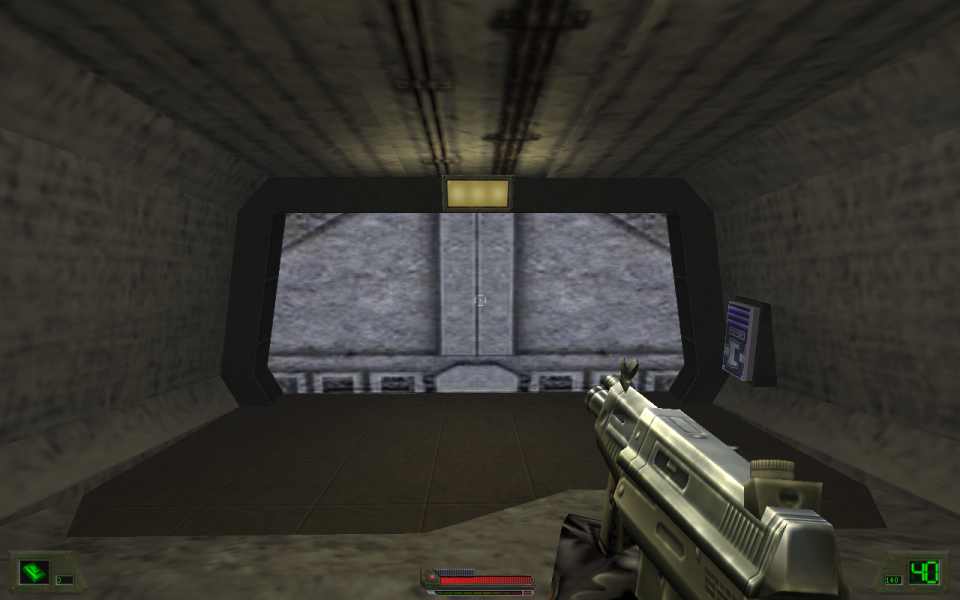


Soldier of Fortune (also known as SoF) is a first-person shooter game created by Raven Software and published by Activision on March 27, 2000 for Microsoft Windows. It uses a modified id Tech 2 game engine. Two sequels were later made to the game as well.
The story involves the theft of nuclear weapons, and the main enemy turns out to be an Afrikaner Neo-Nazi group based in Germany, led by Sergei Dekker. At the beginning of the game, terrorists steal four nuclear weapons from a storage facility in Russia, and proceed to sell them to various third world nations. This is a prelude to the acquisition of advanced weapons of mass destruction by this terrorist group.
John Mullins, working for a U.S.-based mercenary ("soldier of fortune") organization known only as "The Shop", and his partner, Aaron "Hawk" Parsons, are assigned to prevent the nukes from falling into the wrong hands, and stop the terrorists in their plans.
Support Summary
Game Information
Screenshots Comparison
Solutions & Issues
Easier solution.
Go to page below and dowload SoFplus mod. Adds panoramic resolutions in the game menu.
http://sof1.megalag.org/sofplus/
Thanks to triplesick for posting this solution...
Getting a widescreen resolution in SOF1 can be done using a hex editor like this one. Search the .exe for 80 02 00 00 E0 01. This is the 640x480 data. Change it to anything according to the hex editor tutorial, you may check this thread for the List of Hex Values for Common Resolutions.
For example, you can change it to "90 06 00 00 41 0a" if you want a 1680x1050 resolution. Then select 640x480 in-game, and it will render in 1680x1050.
It's vert-, but the hard-coded FOV is 95, which I think is perfect for widescreen in a tactical shooter.
There is one notable bug with this solution, which is that the menus are clipped off. In between missions, you need to change to a 4:3 resolution to click the "accept mission" button :-/
Two side notes:
1. Enough of the source code has been released as part of the game's SDK to code to a more-or-less proper widescreen patch. However, the source should be compiled with Visual C++ 6.0, which is completely broken in Windows 7. Otherwise I'd do it myself.
2. I highly recommend using the "MarkC Windows 7 mouse acceleration fix" for this game. Otherwise, the mouse acceleration makes aiming difficult.
Note:
Menus are clipped off. In between missions, you need to change to a 4:3 resolution to click the "accept mission" button.
Gameplay Screenshots