


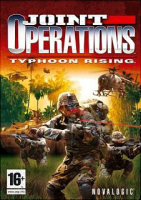


Joint Operations: Typhoon Rising is a 2004 first-person shooter computer game from Novalogic that focuses almost entirely on its expansive online multiplayer mode. Set in Indonesia in the near future, Joint Operations takes the player to a country on the verge of disintegration
Support Summary
Screenshots Comparison
Solutions & Issues
Joint Operation offers a very limited list of resolutions being as follows :
640x480
800x600
1024x768
1280x720
1280x768
1280x960
1280x1024
1600x1200
now there is also a widescreen tickbox however which ever res I choose ticking the w/s box everything within the game is not in a correct ratio, i.e radar stretched.
I found within a config file these settings and changed the zero's to be = to one's
hw3d_res640x480 = 1
hw3d_res800x600 = 1
hw3d_res1024x768 = 1
hw3d_res1280x720 = 1
hw3d_res1280x768 = 1
hw3d_res1280x960 = 1
hw3d_res1280x1024 = 1
hw3d_res1600x1200 = 1
hw3d_res1920x1080 = 0
hw3d_res1920x1440 = 0
hw3d_res2048x1536 = 0
And sure enough this gave me 3 extra new res modes however none of them use my prefered res which 1920x1200 on a apple 23" w/s
The 2D interface elements almost always get stretched in games whether you use a 16:9 stretch option within the game or a true widescreen resolution. You just have to deal with it. As long as the 3D scene looks right, that's the best you can do. If you look at most of the games mentioned on these forums, both those that support widescreen out-of-the-box and those that require a hack, we've all just grown accustomed to things like health-indicators and radar screens being a little wide.
The reason for this is that you would need a custom overlay for the wide resolutions, which most developers don't bother doing. The interface is mapped to a regular 4:3 ratio no matter what. We're happy if we can get the 3D elements displaying right without any stretching due to FOV issues.
You just have to get used to the short, fat radar.
Gameplay Screenshots


