


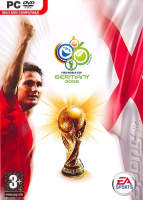


Sports action game for the 2006 FIFA World Cup, which was hosted in Germany.
Support Summary
Game Information
Screenshots Comparison
Solutions & Issues
The fix for MVP 2005 also happens to work for FIFA World Cup 2006.
First, you need a hex editor.
It can be downloaded at http://www.chmaas.handshake.de/delphi/freeware/xvi32/xvi32.htm
Second, backup your .exe file
Third, load your .exe into the hex editor.
Fourth, in this part, you will change 800x600 mode to 1920x1200.
Find (ctrl + F) ' 20 03 00 00 58 02 '
Overwrite it with ' 80 07 00 00 B0 04 '
Now, there is one more ' 20 03 00 00 58 02 ', find it (ctrl + F) and
Overwrite it with ' 80 07 00 00 B0 04 ' Again.
Fifth, Save it and Run it!
Follow the instructions and FIFA will switch to 1680x1050x32 when the match starts, NOT IN THE MENUS.
Also, after you've done this, the resolution in the menu will still say '800x600x32' (or whatever resolution you choose to overwrite) but the resolution will actually be 1680x1050x32. Use a program like FRAPS to take a screenshot if you want to confirm it for yourself.
edit: Unfortunately, I do not believe the FOV changes, so you'll get a stretched image.
----------------
Alternate:
1. Make a shortcut for the game
2. Right click said shortcut, go to properties
3. In the Target box, after everything that is already written in there, type resolution=1680x1050x32 or whatever resolution you want
So for example ... it should look something like this below ... but the path may be different depending on where you installed the game ...
"C:\Program Files\EA SPORTS\FIFA 06\fifa06.exe\EA SPORTS\FIFA 06\FIFA06.exe" resolution=1680x1050x32
Gameplay Screenshots


