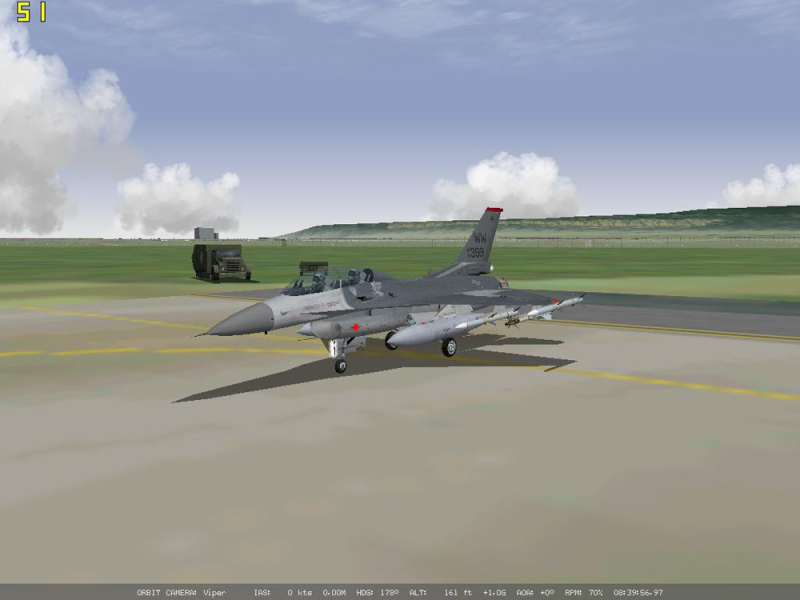


Falcon 4.0: Allied Force is a 2005 flight combat game for the PC
Support Summary
Screenshots Comparison
Solutions & Issues
I have confirmed that Falcon 4: Allied Force partially supports WS format. It is not full support. Because of the intensive work that was done on the clickable cockpit and the fact that it uses older code, the in cokpit aspect reverts to a 4:3 ratio. The game still runs at the WS resolution though, and you can get full screen during outside views, but in the in cockpit view you get two black bars. You cannot change the FOV, and no workaround or hack can be done. This would introduce a myriad of porblems, so don't go hacking with hex editors...it won't work. It will mess up the clickable pit and render the simulator unflyable because the switches won't work and other fuctions that call back to that code will not work.
With this simulation it must be left *as is*. This simulation is extremely complex. It is not a game. There is a war going on, and you are literally in an F16 cockpit. It has a dynamic campaign generator. The flight physics are fairly real. Even starting the jet is realistic, so believe me when I tell you. Hacks will not work on this simulator unless you are a programming god that can develop a cockpit that took a Team years to generate. Sorry, but this is one that won't fully support WS, but will partially support it.
I have new info!!! This game does support more WS than I thought. After getting my TrackIR all dialed in, I went into the 3D cokcpit and to my surprise I was flying in full screen! Yahooo. The only screen that does not support WS is the 2D clickable pit, but if you go into 3D pit you get full screen with no issues. Since I use a Full HOTAS and Track IR and have it all setup now, I don't spend much time in 2D mode. I do most of my flying in the 3D pit so I can have full TrackIR support to be able to look around and keep my head moving.
So, WS in external views, WS in 3D pit, and ONLY the 2D pit reverts to a 4:3 aspect. Everything esle supports it. Cool deal!
Although the latest patches for Falcon 4: Allied force add native support for widescreen resolutions, triplehead resolution need to be hacked in. To do this, open the \Program Files\Lead Pursuit\Battlefield Operations\config\display.dsp file in a hex editor. You will see something like this:
Code:
00 05 C0 03 40 06 B0 04 02 00 00 00 20 00 00 00
The first four nibbles (two-digit sets of numbers) govern the resolution used. The first two are the horizontal resolution, while the second two are the vertical resolution. The two sets are also reversed. The above sequence 00 05 C0 03 is my Allied Force resolution set to 1280x960. To confirm this, use the Window calculator to enter "0500" in hex mode (remember, the two nibbles are reversed) and then switch to decimal mode - you get 1280. If you do the same for C0 03 (enter "03C0") you get 960.
Falcon 4, even the updated Allied Force release, is DirectX 7 code. This means it is limited to maximum pixel spans of 2048 pixels. For TripleHead2Go use, this means it must be run at 1920x480. 1920 in hex is 0780, so change the first two nibbles to 80 07. 480 in hex is 01E0, so change the third and fourth nibbles to E0 01. Save the file and close it, and start Allied Force. As long as you don't go to the Graphics Options page, the set resolution will remain.
In order to get triplehead operation that is at least somewhat worth using, the game should be patched to the latest version. At the time of this posting that version is 1.0.11. However, note the numerous problems with Allied Force triplehead:
At a resolution only 480 pixels high, all of the HUD and MFD text overlaps. Falcon 4 is a complex simulator requiring extensive use of the avionics. You've got to see this stuff to play the game, and at this resolution it can't be read.
In the 2D cockpit view, the normally beautiful photorealistic cockpit is ugly due to the low resolution.
In the 2D cockpit view the side monitors go black because there are only 2D graphics for 4:3 cockpit views.
The 3D cockpit view provides a true triplehead image, but that cockpit is even uglier than the 2D representation.
Credit for this solution belongs to "dunc" at Frugal's World (http://forums.frugalsworld.com/vbb/index.php), where he posted this thread (http://forums.frugalsworld.com/vbb/showthread.php?t=99587).
---------------------------------------
Just to revisit this topic, I have successfully used a hex editor to get 2048x768 functional in Falcon 4 Allied Force 1.0.13.
The hex editing is a bit weird. The hex codes are put in backwards.
First get what your hexidecimal code is for your resolution. I used the following converter on the web: http://www.statman.info/conversions/hexadecimal.html
I want to set my resolution as 2048x768 because 2048 is the maximum pixel width allowed by a DirectX 7 application.
2048 = 08 00 in hex
768 = 03 00 in hex
Now that you know the resolution in hex, we now need a hex editor. I used xvi32 from here: http://www.chmaas.handshake.de/delphi/freeware/xvi32/xvi32.htm#download
Open your display.dsp file in the hex editor. It is located in "Lead Persuit/Battlefield Operations/config". It should show you a single row of hex in the editor. Only the first 4 two-number boxes are the ones we'll worry about.
This is where things get a bit confusing. They transpose the hex in the display.dsp file for some silly reason. The first 2 two-number boxes are for the resolution width (2048). One would think you'd put in 08 00, but the dsp file wants it as 00 08 for some weird reason. Next we'll do the resolution height (768). This gets put in as 00 03. I have not a single clue why they transpose the numbers like that, but whatever works...
This should allow you to use EyeFinity 2-display or TH2G/DH2G two-display to do multi-screen to the maximum resolution allowed by F4:AF. Hope this is useful to some that still play this game because I know there are a lot of you still out there that do in the sim building hobby.
YouTube: http://www.youtube.com/watch?v=BgI18A54yoo
Edit 12/22/2010:
Just an update to show it working with NTHUSIM and NVIDIA Surround at a really odd resolution 2046x768 on triple projection. There is method to my madness because DX7 maxes out at 2048 (682*3=2046) and 768 is the pixel height on my 1024x768 native projectors.
YouTube video: http://www.youtube.com/watch?v=RqDQ0F8eTKI
Gameplay Screenshots


Additional Screenshots