


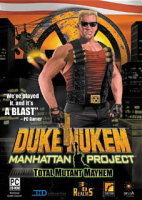


Duke Nukem: Manhattan Project is a side-scrolling run and gun computer game developed by Sunstorm Interactive.
Support Summary
Screenshots Comparison
Solutions & Issues
Widescreen Solution & Issues:
The Steam version has native widescreen support but the FOV is Vert-. These steps set the resolution for all versions and also fix the FOV.
- Go to \duke\base\ and open config.cfg with a text editor.
- Add the line uset g_cam_fov "90" (replace 90 with the horizontal FOV you want; the default is 50)
- Find the line uset r_mode
- Change the height and width (e.g. 1024x768) to the value you want.
- Save your changes and close the file.
- Make the file read-only (this prevents the FOV change being removed when you exit the game).
All 2D elements are stretched from 4:3. All 3D elements have the correct aspect ratio. The FOV specified is used for both gameplay and real-time cutscenes (2D elements during real-time cutscenes are stretched).
Ultra/Super-Wide Specific Solution & Issues:
Same as widescreen solution.
Eyefinity / Surround Specific Solution & Issues:
Same as widescreen solution.
Gameplay Screenshots
4:3 Screenshot

16:10 Screenshot

16:9 Screenshot

21:9 Screenshot

32:9 Screenshot

Eyefinity / Surround Screenshot

In-Game (Rendered) Cutscenes
4:3 Cutscene

Eyefinity / Surround Cutscene

Menu Screenshots
16:9 Menu

Eyefinity / Surround Menu


