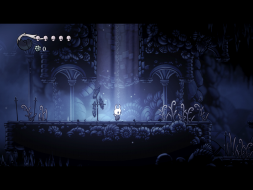
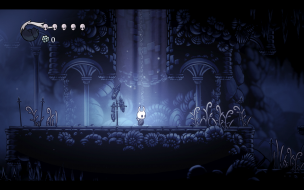
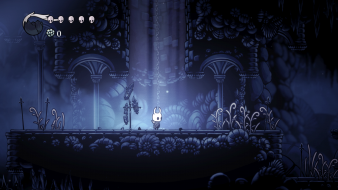
Beneath the fading town of Dirtmouth sleeps an ancient, ruined kingdom. Many are drawn below the surface, searching for riches, or glory, or answers to old secrets.
Hollow Knight is a classically styled 2D action adventure across a vast interconnected world. Explore twisting caverns, ancient cities and deadly wastes; battle tainted creatures and befriend bizarre bugs; and solve ancient mysteries at the kingdom's heart.
if you supporting what I do, buy me a coffee here https://ko-fi.com/kevinsesario or instead direct to paypal.me/kevinsesario . EMAIL:mailto:?subject=&body=, Steam: https://steamcommunity.com/id/sesariok
susahamat wrote:copy and replace in Hollow Knight Godmaster\hollow_knight_Data\Managed STEAM:
The attachment HollowKnightARFixSTEAMv1.4.2.4.rar is no longer available
GOG:
The attachment HollowKnightARFixGOGv1.4.2.4.rar is no longer available
Hi, first of all thank you ..
I noticed that the file your send is the same way I edited it and see how it looks: obs .: This black border is the rest of my monitor, the screen gets much smaller. I already tried to adjust the scale..but it is at maximum.
I think the problem is that I can not change to a resolution greater than 1920x1080. I do not have a bigger option than this one for this version. Previously it was 2560x1080.
Attachments
HK 1.4.2.4 - Resolution.png
HK 1.4.2.4 - Resolution.png (887.62 KiB) Viewed 17549 times
try use command line arguments -screen-height 1080 -screen-width 2560 in set launch option on steam or try delete the config on Windows registry HKEY_CURRENT_USER\Software\Team Cherry\Hollow Knight\
EDITED : Sorry it seems the problem's exclusive fullscreen command , are u using this command launch option -window-mode exclusive ?
if you supporting what I do, buy me a coffee here https://ko-fi.com/kevinsesario or instead direct to paypal.me/kevinsesario . EMAIL:mailto:?subject=&body=, Steam: https://steamcommunity.com/id/sesariok
susahamat wrote:try use command line arguments -screen-height 1080 -screen-width 2560 in set launch option on steam or try delete the config on Windows registry HKEY_CURRENT_USER\Software\Team Cherry\Hollow Knight\
EDITED : Sorry it seems the problem's exclusive fullscreen command , are u using this command launch option -window-mode exclusive ?
Thank you!! You right, it was the issue is Windows registry.
if you supporting what I do, buy me a coffee here https://ko-fi.com/kevinsesario or instead direct to paypal.me/kevinsesario . EMAIL:mailto:?subject=&body=, Steam: https://steamcommunity.com/id/sesariok
Thanks for the help. I tried using the hex editor to get eye infinity or a 32:9 ratio but it would just redownload and patch my DLL file. do you how I could fix this?
try change automatic update "always keep this game up to date" to "only update when i launch it" in hollow knight properties on steam or make sure .dll read only ON
if you supporting what I do, buy me a coffee here https://ko-fi.com/kevinsesario or instead direct to paypal.me/kevinsesario . EMAIL:mailto:?subject=&body=, Steam: https://steamcommunity.com/id/sesariok
Last edited by susahamat on 28 Sep 2018, 08:08, edited 1 time in total.
if you supporting what I do, buy me a coffee here https://ko-fi.com/kevinsesario or instead direct to paypal.me/kevinsesario . EMAIL:mailto:?subject=&body=, Steam: https://steamcommunity.com/id/sesariok