


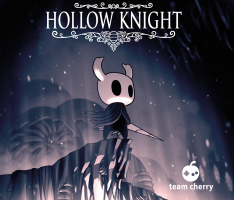


Beneath the fading town of Dirtmouth sleeps an ancient, ruined kingdom. Many are drawn below the surface, searching for riches, or glory, or answers to old secrets.
Hollow Knight is a classically styled 2D action adventure across a vast interconnected world. Explore twisting caverns, ancient cities and deadly wastes; battle tainted creatures and befriend bizarre bugs; and solve ancient mysteries at the kingdom's heart.
Support Summary
Widescreen | Ultra/Super‑Wide | Multi-Monitor | 4K Ultra HD | |
Support | ||||
Method | ||||
HUD | ||||
Cutscenes | ||||
FMVs |
Game Information
Screenshots Comparison
Solutions & Issues
To remove black bars at 16:10 resoltions, replace hollow_knight.exe in the game folder from files available from the PC Gaming Wiki Community Files (search there).
Replace hollow_knight.exe in the game folder from files available from the PC Gaming Wiki Community Files (search there).
OR
HEX edit Aspect Ratio: Go to --> ...\Steam\steamapps\common\Hollow Knight\hollow_knight_Data\Managed\Assembly-CSharp.dll
Look for 39 8E E3 3F and change EVERY Instance to 60 E5 18 40.
If you have problems after editing the file, add the following to the Steam launch options: (replace resolution number as needed)
--screen-height 1440 --screen-width 3440
Replace hollow_knight.exe in the game folder from files available from the PC Gaming Wiki Community Files (search there).
Gameplay Screenshots


FMV Cutscenes


Menu Screenshots


4K UHD Screenshots


