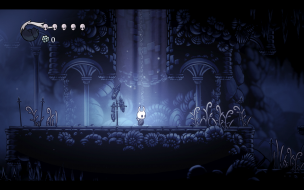
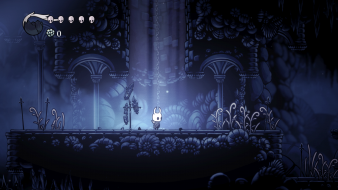
Hollow Knight

Detailed breakdowns of how games react to widescreen, ultra-wide, 4k and multi-mon
Post Reply
User avatar
jackfuste
Insiders
Insiders
Posts: 521
Joined: 19 Dec 2011, 16:03

Hollow Knight

Post by jackfuste »


Widescreen Grade: A
Ultra-Widescreen Grade: C
Multi-monitor Grade: C
4k Grade: A

Read Full Detailed Report - Hollow Knight

Beneath the fading town of Dirtmouth sleeps an ancient, ruined kingdom. Many are drawn below the surface, searching for riches, or glory, or answers to old secrets.

Hollow Knight is a classically styled 2D action adventure across a vast interconnected world. Explore twisting caverns, ancient cities and deadly wastes; battle tainted creatures and befriend bizarre bugs; and solve ancient mysteries at the kingdom's heart.


4:3


16:10


16:9


21:9


3x1

Last edited by jackfuste on 12 May 2018, 17:02, edited 4 times in total.
Reason: Edit
Phinx
Posts: 1
Joined: 12 May 2018, 13:47

Re: Hollow Knight

Post by Phinx »

Hi there. Any possibility of an update since the new patch update (eyefinity surround tested), the exe's don't work. Thanks.
User avatar
jackfuste
Insiders
Insiders
Posts: 521
Joined: 19 Dec 2011, 16:03

Re: Hollow Knight

Post by jackfuste »

Phinx wrote:Hi there. Any possibility of an update since the new patch update (eyefinity surround tested), the exe's don't work. Thanks.

Try this one - hollow_knight_1315.7z
Or using this patcher - hollow_knight_ws_patch.7z apply patch to hollow_knight.exe
OldAbolis
Posts: 3
Joined: 24 Aug 2018, 15:48

Re: Hollow Knight

Post by OldAbolis »

Hello
recently released the new version of the game. v. 1.4.2.4
I noticed that all the methods of adjusting to Ultrawide are no longer working.

Can you help? Thank you!
User avatar
susahamat
Posts: 530
Joined: 20 Sep 2015, 00:58

Re: Hollow Knight

Post by susahamat »

copy and replace in Hollow Knight Godmaster\hollow_knight_Data\Managed
STEAM:
HollowKnightARFixSTEAMv1.4.2.4.rar
(855.59 KiB) Downloaded 935 times

GOG:
HollowKnightARFixGOGv1.4.2.4.rar
(854.16 KiB) Downloaded 672 times
if you supporting what I do, buy me a coffee here https://ko-fi.com/kevinsesario or instead direct to paypal.me/kevinsesario . EMAIL:mailto:?subject=&body=, Steam: https://steamcommunity.com/id/sesariok

OldAbolis
Posts: 3
Joined: 24 Aug 2018, 15:48

Re: Hollow Knight

Post by OldAbolis »

susahamat wrote:copy and replace in Hollow Knight Godmaster\hollow_knight_Data\Managed
STEAM:
The attachment HollowKnightARFixSTEAMv1.4.2.4.rar is no longer available

GOG:
The attachment HollowKnightARFixGOGv1.4.2.4.rar is no longer available

Hi, first of all thank you ..

I noticed that the file your send is the same way I edited it and see how it looks:
obs .: This black border is the rest of my monitor, the screen gets much smaller. I already tried to adjust the scale..but it is at maximum.

I think the problem is that I can not change to a resolution greater than 1920x1080. I do not have a bigger option than this one for this version. Previously it was 2560x1080.
Attachments
HK 1.4.2.4 - Resolution.png
HK 1.4.2.4 - Resolution.png (887.62 KiB) Viewed 17555 times
HK 1.4.2.4 - In game.png
HK 1.4.2.4.png (1.96 MiB) Viewed 17564 times
User avatar
susahamat
Posts: 530
Joined: 20 Sep 2015, 00:58

Re: Hollow Knight

Post by susahamat »

try use command line arguments -screen-height 1080 -screen-width 2560 in set launch option on steam or try delete the config on Windows registry
HKEY_CURRENT_USER\Software\Team Cherry\Hollow Knight\

EDITED : Sorry it seems the problem's exclusive fullscreen command , are u using this command launch option -window-mode exclusive ?
if you supporting what I do, buy me a coffee here https://ko-fi.com/kevinsesario or instead direct to paypal.me/kevinsesario . EMAIL:mailto:?subject=&body=, Steam: https://steamcommunity.com/id/sesariok

OldAbolis
Posts: 3
Joined: 24 Aug 2018, 15:48

Re: Hollow Knight

Post by OldAbolis »

susahamat wrote:try use command line arguments -screen-height 1080 -screen-width 2560 in set launch option on steam or try delete the config on Windows registry
HKEY_CURRENT_USER\Software\Team Cherry\Hollow Knight\

EDITED : Sorry it seems the problem's exclusive fullscreen command , are u using this command launch option -window-mode exclusive ?


Thank you!!
You right, it was the issue is Windows registry.

Once again, thank you! :rockout:
User avatar
susahamat
Posts: 530
Joined: 20 Sep 2015, 00:58

Re: Hollow Knight

Post by susahamat »

nice glad to hear that :)
if you supporting what I do, buy me a coffee here https://ko-fi.com/kevinsesario or instead direct to paypal.me/kevinsesario . EMAIL:mailto:?subject=&body=, Steam: https://steamcommunity.com/id/sesariok
Iiymij
Posts: 1
Joined: 26 Aug 2018, 05:10

Re: Hollow Knight

Post by Iiymij »

Thanks for the help. I tried using the hex editor to get eye infinity or a 32:9 ratio but it would just redownload and patch my DLL file. do you how I could fix this?
User avatar
susahamat
Posts: 530
Joined: 20 Sep 2015, 00:58

Re: Hollow Knight

Post by susahamat »

try change automatic update "always keep this game up to date" to "only update when i launch it" in hollow knight properties on steam or make sure .dll read only ON
if you supporting what I do, buy me a coffee here https://ko-fi.com/kevinsesario or instead direct to paypal.me/kevinsesario . EMAIL:mailto:?subject=&body=, Steam: https://steamcommunity.com/id/sesariok
User avatar
susahamat
Posts: 530
Joined: 20 Sep 2015, 00:58

Re: Hollow Knight

Post by susahamat »

Update for v1.4.3.2

STEAM:
21:9
HollowKnightUWFixSTEAMv1.4.3.2.rar
(859.14 KiB) Downloaded 788 times

32:9
HollowKnight32x9FixSTEAMv1.4.3.2.rar
(859.14 KiB) Downloaded 482 times


GOG:
21:9
HollowKnightUWFixGOGv1.4.3.2.rar
(857.5 KiB) Downloaded 544 times

32:9
HollowKnight32x9FixGOGv1.4.3.2.rar
(857.5 KiB) Downloaded 460 times
Last edited by susahamat on 28 Sep 2018, 08:08, edited 1 time in total.
if you supporting what I do, buy me a coffee here https://ko-fi.com/kevinsesario or instead direct to paypal.me/kevinsesario . EMAIL:mailto:?subject=&body=, Steam: https://steamcommunity.com/id/sesariok
Diogoepronto
Posts: 1
Joined: 27 Sep 2018, 19:35

Re: Hollow Knight

Post by Diogoepronto »

susahamat wrote:Update for v1.4.3.2

STEAM:
21:9
HollowKnightUWFixSTEAMv1.4.3.2.rar


32:9
HollowKnight32x9FixSTEAMv1.4.3.2.rar


Thank you! It's working great! :D
Although it still has a problem with the cutscenes, they're all stretched... Anyone knows of a way to fix this?
Last edited by Diogoepronto on 21 Oct 2018, 22:46, edited 1 time in total.
User avatar
BigFNj
Posts: 1
Joined: 12 Sep 2018, 16:31

Re: Hollow Knight

Post by BigFNj »

Just wanted to say thank you, I had to add the file (steam version) and also manipulate the registry manually.

Really appreciate your efforts and taking the time to post a file.

~
~J
Post Reply

Who is online

Users browsing this forum: Google [Bot] and 6 guests