
I just made the loadings screens adapted to 21:9
Link fix:
https://www.dropbox.com/s/b2ud48w2o6pv1 ... 9.rar?dl=0
Images:
https://imgur.com/a/JfXOdu3
Search found 52 matches
- 11 Jun 2019, 20:41
- Forum: Detailed Widescreen Reports
- Topic: Grand Theft Auto: San Andreas
- Replies: 14
- Views: 27949
- 27 May 2019, 12:33
- Forum: Detailed Widescreen Reports
- Topic: Silent Hill 4: The Room
- Replies: 8
- Views: 13559
- 21 May 2019, 02:19
- Forum: Mods, Tweaks, Tools & Tutorials
- Topic: Flawless Widescreen
- Replies: 1251
- Views: 1123768
Re: Flawless Widescreen
Is dead?
- 06 May 2019, 08:08
- Forum: Detailed Widescreen Reports
- Topic: Lego Star Wars III: The Clone Wars
- Replies: 1
- Views: 3394
Re: Lego Star Wars III: The Clone Wars
It seem that on 21:9 dont need any fix and work ok.

- 13 Dec 2018, 23:53
- Forum: Request/Discuss Game Solutions
- Topic: Sunset Overdrive 21:9 Request
- Replies: 36
- Views: 44734
Re: Sunset Overdrive 21:9 Request
New patch has been released. Anybody try it?
- 03 Nov 2018, 13:29
- Forum: 21:9 & Ultra-Wide Gaming
- Topic: Call of Cthulhu 2018 wrong FOV
- Replies: 13
- Views: 14779
Re: Call of Cthulhu 2018 wrong FOV
susahamat... you are true king of kings.
- 16 Sep 2018, 05:58
- Forum: 21:9 & Ultra-Wide Gaming
- Topic: Rush: A Disney Pixar Adventure on 21:9
- Replies: 1
- Views: 4855
Rush: A Disney Pixar Adventure on 21:9
It was pretty ease.
The default game get itself in 2560x1080 (or your native I guess) even though ingame say 1920x1080, but with black bars.
Just hex edit the 16:9 value: 39 8E E3 3F to 26 B4 17 40 (2560) or 8E E3 18 40 (3440).
Everything looks perfect, except the hud get a little bigger and ...
The default game get itself in 2560x1080 (or your native I guess) even though ingame say 1920x1080, but with black bars.
Just hex edit the 16:9 value: 39 8E E3 3F to 26 B4 17 40 (2560) or 8E E3 18 40 (3440).
Everything looks perfect, except the hud get a little bigger and ...
- 17 Oct 2012, 18:50
- Forum: Detailed Widescreen Reports
- Topic: Hydrophobia: Prophecy
- Replies: 8
- Views: 5113
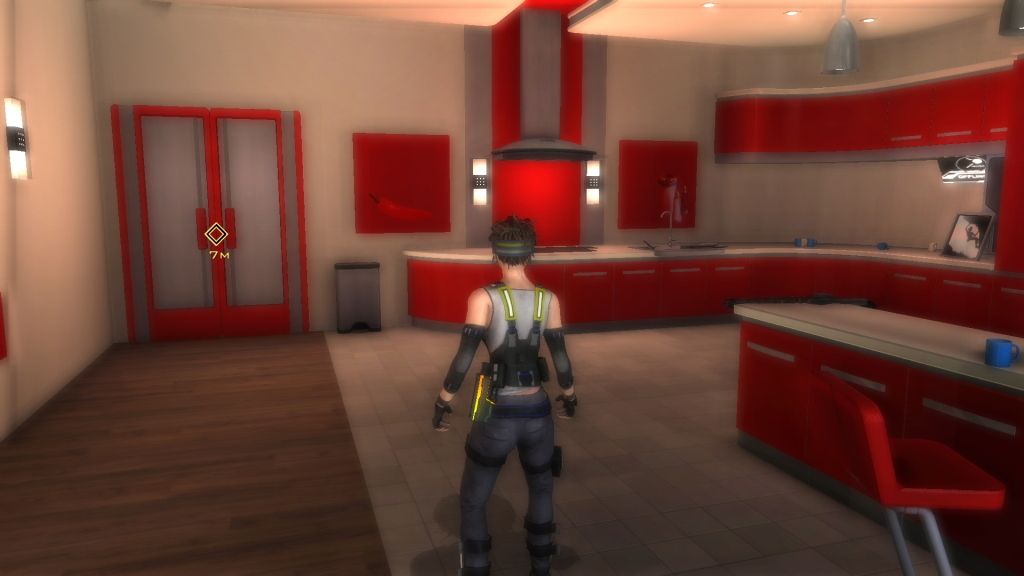
It's wreid. I could play it
It's wreid. I could play it in 1920x1080 in perfect 16:9 without problems or hacks.
- 08 Sep 2012, 08:53
- Forum: Request/Discuss Game Solutions
- Topic: Widescreen support for The Simpsons Hit & Run
- Replies: 5
- Views: 52357
Great work! I used the method
Great work! I used the method "official" on this site but it's only strecht. With you exe there are no fat bodies and the vetical loss is not catastrophic. Thank you very VERY much!!!
A comparison:
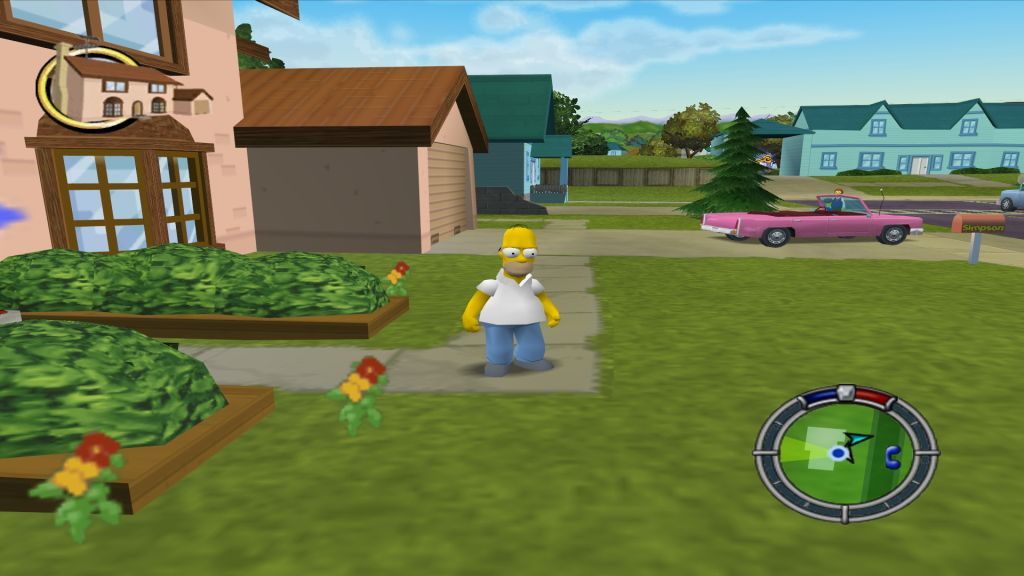
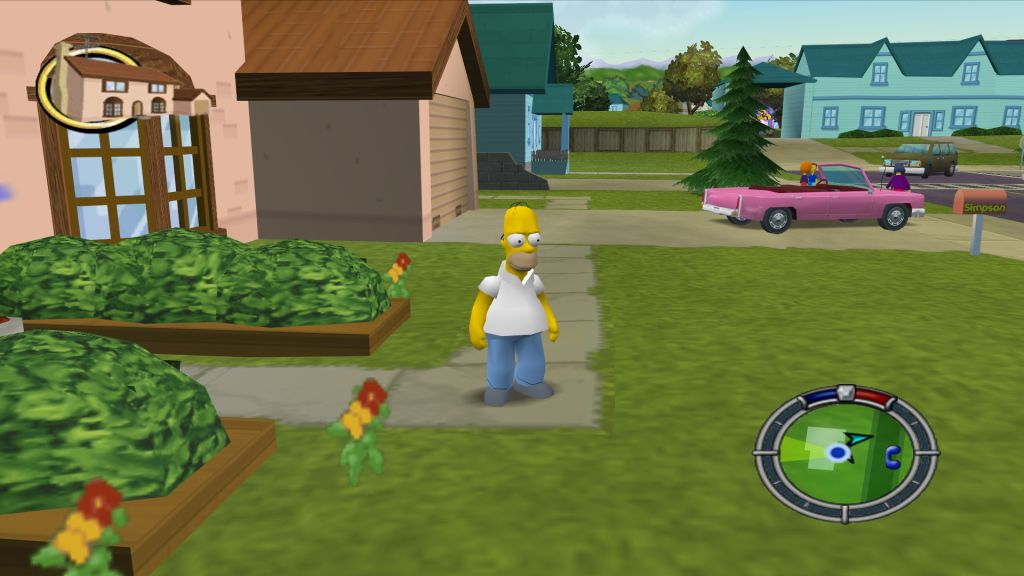
A comparison:
- 18 Aug 2012, 04:50
- Forum: Request/Discuss Game Solutions
- Topic: Silent Hill 2 1920x1080.
- Replies: 43
- Views: 42586
Re: Silent Hill 2 1920x1080.
Just use this exe for 1920x1080.
http://www.mediafire.com/?og134bvy2e9ww6y
http://www.mediafire.com/?og134bvy2e9ww6y
- 18 Aug 2012, 04:49
- Forum: Request/Discuss Game Solutions
- Topic: Silent Hill 2 1920x1080.
- Replies: 43
- Views: 42586
I update the link for
I update the link for 1920x1080:
http://www.mediafire.com/?og134bvy2e9ww6y
http://www.mediafire.com/?og134bvy2e9ww6y
- 31 Jan 2012, 06:33
- Forum: Request/Discuss Game Solutions
- Topic: Resident Evil 2 resolution change?
- Replies: 4
- Views: 12764
Forget what I said. Do not
Forget what I said. Do not play it with the N64 emulator. I tested a little more and there are too many errors of textures and FMV. Quite unplayable. It's a shame because this version has new history files and stuff. So yes, it should be played with ePSXe. There you can choose to play it in a ...
- 16 Jan 2012, 02:33
- Forum: Request/Discuss Game Solutions
- Topic: Resident Evil 2 resolution change?
- Replies: 4
- Views: 12764
I agreed. it's better play it
I agreed. it's better play it on the ePSXe. You can choose the resolution that you want and with all the settings in very high it looks really nice. But stretch obviously. I recomend play it in the N64 emulator (Project64). There the game look the same but you can use the "Override Aspect" option ...
- 22 Jun 2011, 18:52
- Forum: Request/Discuss Game Solutions
- Topic: Basic Hex Helper Information
- Replies: 16
- Views: 53718
Re: Basic Hex Helper Information
Thanks Tanuki for this amazing page! I cannot believe not encountered it before. I really want to learn all this. But I have some questions:
First: I know how use the hex editor but the only thing I know to do is look for the string "80 02 00 00 E0 01" and replace with "80 07 00 00 38 04" (I ...
First: I know how use the hex editor but the only thing I know to do is look for the string "80 02 00 00 E0 01" and replace with "80 07 00 00 38 04" (I ...
- 09 Jun 2011, 12:10
- Forum: Request/Discuss Game Solutions
- Topic: Question about Silent Hill 3 in 1080p (sh3FOV.exe)
- Replies: 9
- Views: 9584
Re: Question about Silent Hill 3 in 1080p (sh3FOV.exe)
Well... this is that the original post say, but is for 16:10:
Width Field of View (FOV): 0.91
Height Field of View (FOV): 1.1
:|
Width Field of View (FOV): 0.91
Height Field of View (FOV): 1.1
:|
- 08 Jun 2011, 15:26
- Forum: Request/Discuss Game Solutions
- Topic: Question about Silent Hill 3 in 1080p (sh3FOV.exe)
- Replies: 9
- Views: 9584
Re: Question about Silent Hill 3 in 1080p (sh3FOV.exe)
I guess that have to be one exact value (I'm gonna try find the original page of this hack), but... the last screen from above do not look right FOV to you in 0.8? A matter of taste maybe. :P
- 29 May 2011, 04:55
- Forum: Request/Discuss Game Solutions
- Topic: Question about Silent Hill 3 in 1080p (sh3FOV.exe)
- Replies: 9
- Views: 9584
Re: Question about Silent Hill 3 in 1080p (sh3FOV.exe)
Sorry that it can't help you. It work for my, or for my eyes! :mrgreen:
When I have a 16:10 monitor it look good with the "Width Field of View (FOV)" in 0.9.
Later, when I try it in 16:9 it look better in 0.8. Look:
Without hack:
With hack:
Anyway... it ...
When I have a 16:10 monitor it look good with the "Width Field of View (FOV)" in 0.9.
Later, when I try it in 16:9 it look better in 0.8. Look:
Without hack:
With hack:
Anyway... it ...
- 27 May 2011, 22:15
- Forum: Request/Discuss Game Solutions
- Topic: Question about Silent Hill 3 in 1080p (sh3FOV.exe)
- Replies: 9
- Views: 9584
Re: Question about Silent Hill 3 in 1080p (sh3FOV.exe)
Hy, pal. Just like this:
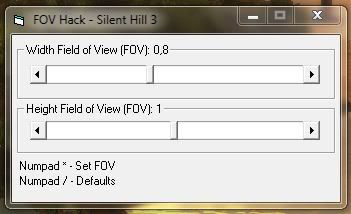
*..*
*..*
- 08 May 2011, 14:15
- Forum: Request/Discuss Game Solutions
- Topic: Tron Evolution
- Replies: 2
- Views: 3922
Tron Evolution
This game (at least in my PC) only goes 4:3 and 5:4.
To get the desired res...
-Go to "DocumentsDisney Interactive StudiosTron EvolutionUnrealEngine3GridGameConfig"
-There open the "gridengine.ini" file.
-Look for ResX and ResY under [SystemSettings] and put your desired ...
To get the desired res...
-Go to "DocumentsDisney Interactive StudiosTron EvolutionUnrealEngine3GridGameConfig"
-There open the "gridengine.ini" file.
-Look for ResX and ResY under [SystemSettings] and put your desired ...
- 14 Apr 2011, 00:03
- Forum: Detailed Widescreen Reports
- Topic: Clive Barker's Undying
- Replies: 19
- Views: 20434
Re: Clive Barker's Undying: Detailed report
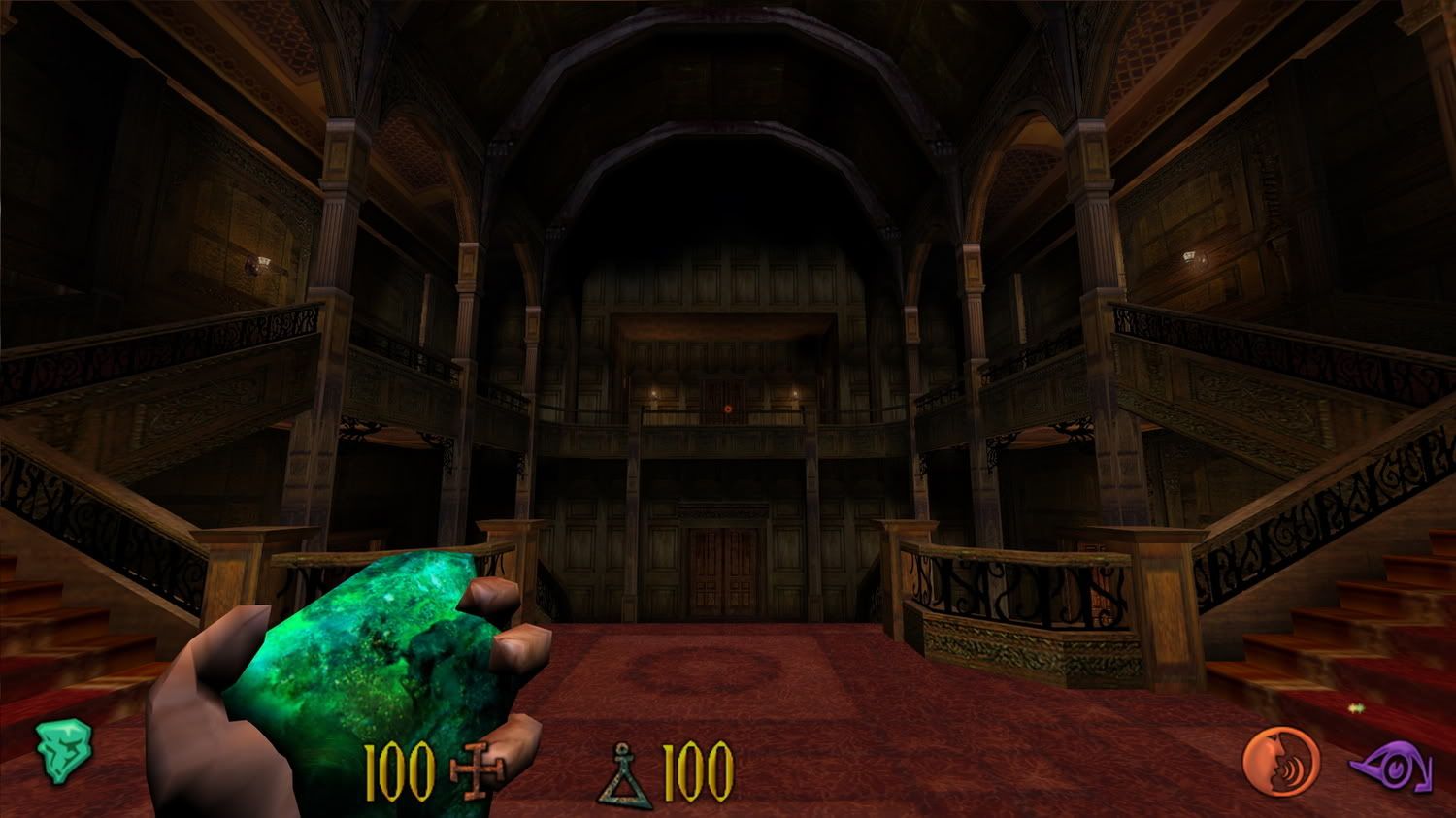
Look fine in 1080:
*.*
*.*