


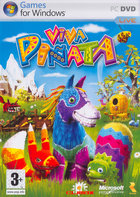


Viva Pinata was developed by Rare Ltd. and ported to Windows by Climax Group.
This is a simulation-style game where you recruit and breed pinata creatures. As you progress through the game you will be able to discover and recruit more demanding pinatas.
There are several gardens available for you to use in recruiting pinatas that allow you to set up different ecosystems and attract different types of pinatas.
Like my own family, these pinatas fight, romance, and eat each other. Have fun.
Support Summary
Game Information
Screenshots Comparison
Solutions & Issues
The game supports up to ~1920x1200 natively.
If your desired widescreen resolution is not listed:
- Go to %LOCALAPPDATA%\Saved Games\Microsoft Games\Viva Pinata
- Edit pinata.cfg
- Set videoscreenresx and videoscreenresy to the resolution you want.
- Set videowidescreen to 1
- Save your changes and close the file.
Only 4:3, 5:4, and 16:9 are supported. 16:10 is squished 16:9. Other aspect ratios and resolutions above 1080p will normally be rejected by the game and it will ignore the configuration file and start with a default resolution instead.
Note: Any modification of Viva Pinata.exe in any way breaks the GFWL overlay. It doesn't show up, and you can't sign in, thus no saving. Pressing the HOME button does nothing.
To fix 3D in 16:10:
Replace all instances of
39 8E E3 3F
with
CD CC CC 3F
For resolutions above 1920x1200 (do above step first for 16:10 resolutions):
Replace all instances of
80 07 00 00 B0 04 (1920x1200)
with the desired resolution. For example, 1440p:
00 0A 00 00 A0 05 (Width ## ## 00 00 ## ## Height)
For other resolutions: http://www.wsgf.org/article/common-hex-values
Any modification of Viva Pinata.exe in any way breaks the GFWL overlay. It doesn't show up, and you can't sign in, thus no saving. Pressing the HOME button does nothing.
Replace all instances of
39 8E E3 3F
with the desired aspect ratio. For example, 21:9 3440x1440:
8E E3 18 40
For other aspect ratios: http://www.wsgf.org/article/common-hex-values
Replace all instances of
80 07 00 00 B0 04 (1920x1200)
with the desired resolution. For example, 3440x1440:
70 0D 00 00 A0 05 (Width ## ## 00 00 ## ## Height)
For other resolutions: http://www.wsgf.org/article/common-hex-values
Any modification of Viva Pinata.exe in any way breaks the GFWL overlay. It doesn't show up, and you can't sign in, thus no saving. Pressing the HOME button does nothing.
(Untested)
Replace all instances of
39 8E E3 3F
with the desired aspect ratio (for example, 32:9)
39 8E 63 40
For other aspect ratios: http://www.wsgf.org/article/common-hex-values
Replace all instances of
80 07 00 00 B0 04 (1920x1200)
with the desired resolution. For example, 3840x1080:
00 0F 00 00 38 04 (Width ## ## 00 00 ## ## Height)
For other resolutions: http://www.wsgf.org/article/common-hex-values
Any modification of Viva Pinata.exe breaks the GFWL overlay. It doesn't show up, and you can't sign in, thus no saving. Pressing the HOME button does nothing.
Replace all instances of
80 07 00 00 B0 04
with
00 0F 00 00 70 08
Gameplay Screenshots


In-Game (Rendered) Cutscenes


FMV Cutscenes


Additional Screenshots


