


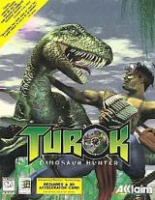


This is a fast-paced FPS similar to the original Doom series. Players progress through expansive environments seeking keys to unlock additional levels. The game uses a hub/teleportation system to help the player navigate the different levels. The array of weaponry available is one of the finest ever to grace a FPS. Fusion Cannon = Photon Torpedo Launcher.
Support Summary
Game Information
Screenshots Comparison
Solutions & Issues
No native support for widescreen resolutions.
New solution: https://pcgamingwiki.com/wiki/Turok:_Dinosaur_Hunter#Widescreen_resolution
Old solution:
In the root game directory open "Video_D3D.dll" with a hex editor. Search for all or part of the following hex values:
C7 05 50 98 01 10 40 01 00 00 C7 05 58 98 01 10 F0 00 00 00 39 1D 30 52 01 10 75 14 C7 05 50 98 01 10 00 02 00 00 C7 05 58 98 01 10 80 01 00 00 39 1D 64 52 01 10 75 14 C7 05 50 98 01 10 80 02 00 00 C7 05 58 98 01 10 E0 01 00 00 39 1D 98 52 01 10 75 14 C7 05 50 98 01 10 20 03 00 00 C7 05 58 98 01 10 58 02 00 00
Each bolded pair corresponds to an in-game resolution.
320x240
512x384
640x480
800x600
For example, I select 800x600 which is listed as "2003" and "5802". I need to replace these values with my desired widescreen resolution. Remember to flip the order of the HEX values when they are entered.
800 is 0320 in hexadecimal. I will enter it as 2003. 1920 is 0780 in hexadecimal. I will enter it as 8007.
If I want to replace 800x600 with a 1920x1200 resolutions I will end up with this.
C7 05 50 98 01 10 40 01 00 00 C7 05 58 98 01 10 F0 00 00 00 39 1D 30 52 01 10 75 14 C7 05 50 98 01 10 00 02 00 00 C7 05 58 98 01 10 80 01 00 00 39 1D 64 52 01 10 75 14 C7 05 50 98 01 10 80 02 00 00 C7 05 58 98 01 10 E0 01 00 00 39 1D 98 52 01 10 75 14 C7 05 50 98 01 10 80 07 00 00 C7 05 58 98 01 10 B0 04 00 00
Whichever pair you change will be the original resolution you need to select in the "Video" launcher menu.
Gameplay Screenshots


