

Second installment in the long running Tomb Raider action game series.
Support Summary
Game Information
Screenshots Comparison
Solutions & Issues
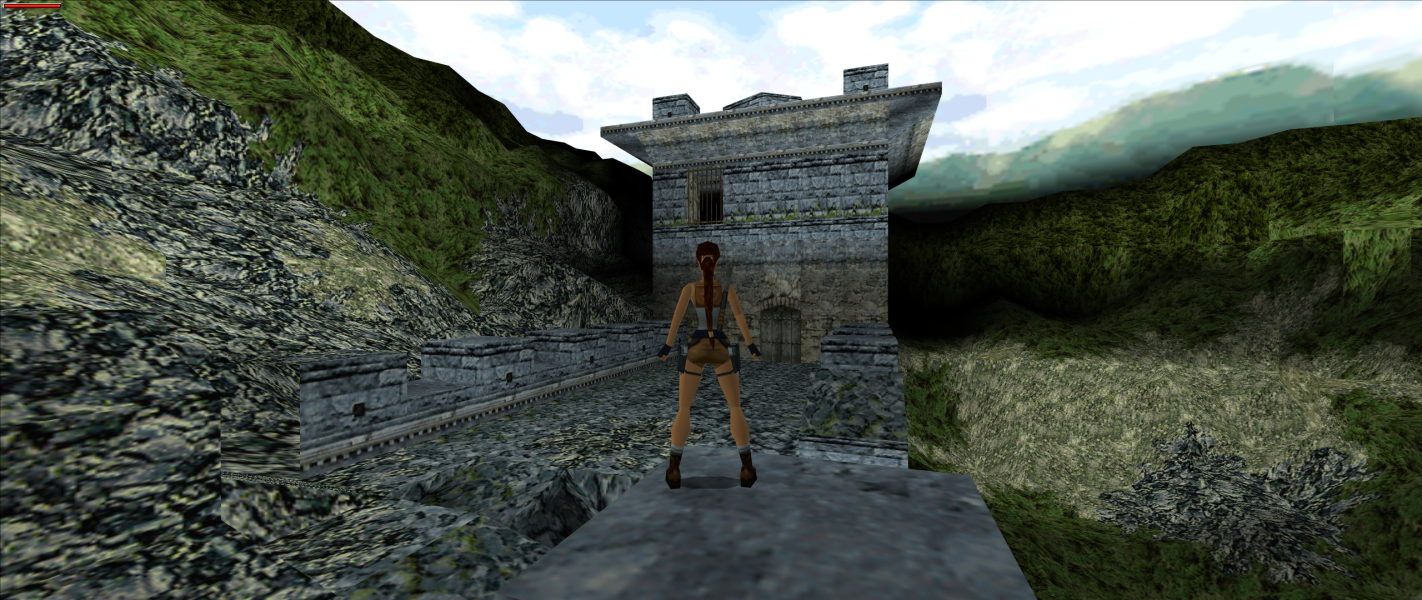
Native widescreen support stretches from 4:3; use Tomb Raider II: Patch and Mod Tool for Hor+ widescreen.
2D menu elements stretch from 4:3. The HUD retains its original dimensions regardless of the resolution used. FMV videos always run at 640x480.
Some higher resolutions crash the game with an error message (Render init failed with "CreateDevice"), e.g. 2560x1440. Use dgVoodoo 2 to remove the resolution limit.
Old/alternate method: Tomb Raider 2,3,4 Widescreen Patch (output is Vert-).
Use Tomb Raider II: Patch and Mod Tool together with dgVoodoo 2 to fix the aspect ratio and resolution limits.
Use Tomb Raider II: Patch and Mod Tool together with dgVoodoo 2 to fix the aspect ratio and resolution limits.
Gameplay Screenshots