Star Wolves

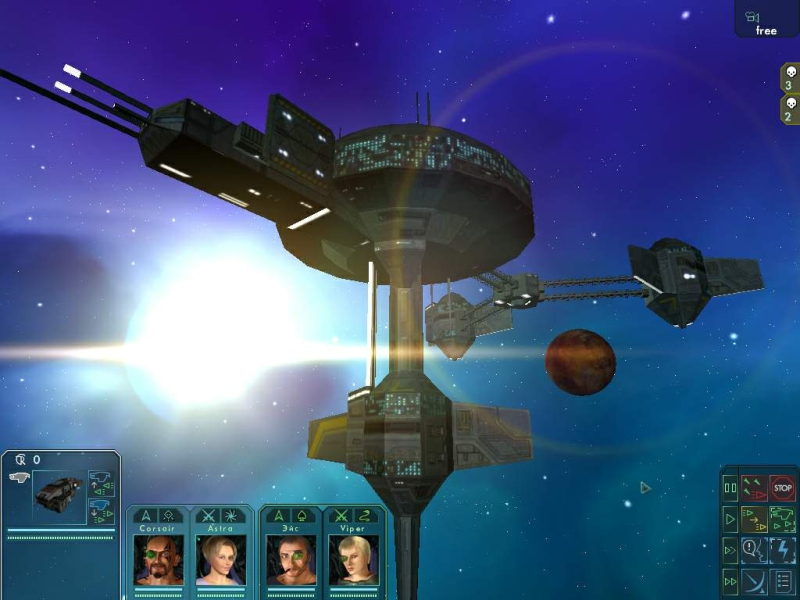
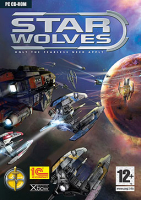
Star Wolves is a real-time, futuristic video game developed by Russian video game developer X-bow Software combining role-playing and real-time tactics gameplay. The game features a mix of role-playing and tactical elements, and is centered around controlling a mothership and small armada of ships in real-time using the mouse in a manner very similar to Homeworld. Ships are piloted by characters whose skills advance as the game progresses.

The player is able to select from a number of skill specializations for each character, making each character unique. Players can likewise customize each ship's armament and purchase new equipment on the open and black markets. At various times in the game, new characters will join the player's party so that the team becomes larger and more diverse.

Support Summary

Widescreen
Ultra/Super‑Wide
Multi-Monitor
4K Ultra HD
Support
Method
HUD
Cutscenes
FMVs

Game Information

Game Status:Released
Release Date:
Play Styles:Single-Player
Setting:Sci-Fi
Developer:X-bow Software

Screenshots Comparison

4:3 Screenshot
16:10 Screenshot
A monitor with a question mark on it. The text above it reads "There is currently no image uploaded for this field." There is a semi-transparent WSGF logo in the background, while the main background is white. The image aspect ratio is 16:10.
16:9 Screenshot
21:9 Screenshot
A monitor with a question mark on it. The text above it reads "There is currently no image uploaded for this field." There is a semi-transparent WSGF logo in the background, while the main background is white. The image aspect ratio is 21:9.
32:9 Screenshot
Eyefinity / Surround Screenshot
Solutions & Issues
Widescreen Solution & Issues:

Star Wolves (X-bow Software/1C/Excalibur Publishing):
This game requires a bit of editing. Open default.cfg located in the game's folder and find the string that says something like this:

gr_init_resolution "1920" "1200" "32" "TRUE"

The rest is obvious

Then open main.ini located in the same folder, and change the FOV line under the [GRAPH]. The default value is 90, so for 1920x1200 it should be 102-103 degrees.

4:3 Screenshot
16:10 Screenshot
A monitor with a question mark on it. The text above it reads "There is currently no image uploaded for this field." There is a semi-transparent WSGF logo in the background, while the main background is white. The image aspect ratio is 16:10.
16:9 Screenshot
21:9 Screenshot
A monitor with a question mark on it. The text above it reads "There is currently no image uploaded for this field." There is a semi-transparent WSGF logo in the background, while the main background is white. The image aspect ratio is 21:9.
32:9 Screenshot
Eyefinity / Surround Screenshot