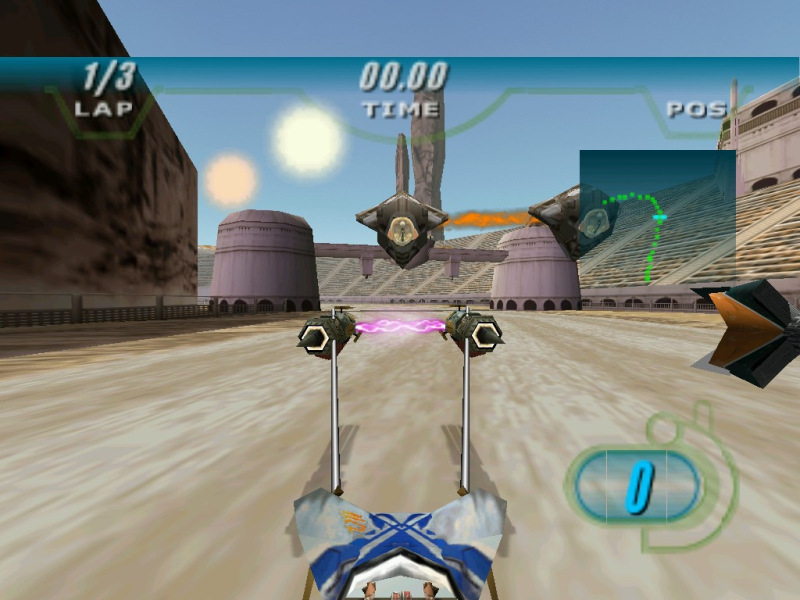


Star Wars Episode I: Racer is a racing video game based on the pod race featured in Star Wars Episode I: The Phantom Menace. The game features a variety of tracks spanning several different planets and includes all and more of the racers featured in the movie, including Teemto Pagalies, Dud Bolt, Mars Guo, Ben Quadinaros and more.
Support Summary
Game Information
Screenshots Comparison
Solutions & Issues
To add widescreen support to this game you'll need a hex editor such as [url=http://sourceforge.net/projects/hexbox/]Be.HexEditor[/url].
There are two steps to this fix.
Step 1:
Open your SWEP1RCR.EXE file in the hex editor and search for the line 000883d0 (or search for the string below and make sure it's on that line).
80 02 00 00 75 09 81 7f 08 e0 01
The values 80 02 and e0 01 represent the resolution 640x480. What we'll do is change them to represent the widescreen resolution we want.
1280x720 - Replace 80 02 with 00 05 and replace e0 01 with D0 02
1280x800 - Replace 80 02 with 00 05 and replace e0 01 with 20 03
1366x768 - Replace 80 02 with 56 05 and replace e0 01 with 00 03
1440x900 - Replace 80 02 with A0 05 and replace e0 01 with 84 03
1680x1050 - Replace 80 02 with 90 06 and replace e0 01 with 1A 04
1920x1080 - Replace 80 02 with 80 07 and replace e0 01 with 38 04
(For other resolutions please check [url=http://www.widescreengamingforum.com/forum/viewtopic.php?t=18809]Basic Hex Helper Information[/url])
Save the file and move on to...
Step 2: Open your RACER.EXE file in the hex editor and search for the line 00033010 (or search for the string below and make sure it's on that line).
80 02 00 00 00 a0 00 00 80 03 00 00 00 e8 00 00 80 05 00 00 00 08 01 00 80 06 00 00 00 68 01 00 80 0c 00 00 00 e0 01
The same values are at the beginning and end of the highlighted string, and again, you need to change them to your desired resolution.
Save the file when you're done and then launch RACER.EXE. Click 'Hardware Configuration', and then 'Change Display Settings' to select your chosen resolution (it should show up instead of 640x480).
Unfortunately, the HUD stretches, and the game is [Vert-]. Apart from that, the only anomaly I encountered was the missing Star Wars graphic in the launcher (RACER.EXE). Not sure what happened there, but it has no effect on usability.
When trying to run at ultrawide resolutions the game gives the error "Unable to open display for 3D."
Gameplay Screenshots