


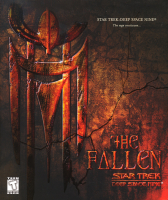


Star Trek: Deep Space Nine: The Fallen is a third person shooter game, the third video game based on Star Trek: Deep Space Nine. The story focuses primarily on the efforts of Starfleet to acquire the three orbs of the Pah-wraiths, which could potentially be used as powerful weapons of apocalyptic scale. In doing so, they are competing against the Cult of the Pah-wraiths, Prophet-following fanatics, a rogue Cardassian anti-Dominion group, and the Dominion itself.
The game can be played from the perspectives of Sisko, Kira or Worf. The story is very loosely based on the trilogy of books, "Millenium", which involves 3 red orbs of prophecy which are said to create a red celestial temple when opened. It also includes a race from the books called the "Grigari" which come from the far end of the red wormhole.
Support Summary
Game Information
Screenshots Comparison
Solutions & Issues
Solution:
1.Download dgVoodoo2 wrapper - http://dege.freeweb.hu/dgVoodoo2.html and extract it to ...\TheFallen\system
Copy 3 files: D3DImm.dll DDraw.dll and D3D8.dll from folder MS to the System folder.
Run dgVoodooSetup.exe and make settings - see additional Screenshot Voodoo Config.jpg
Run the Game - select Direct3D Support.
2.FOV - use my Attachment The Fallen - FOV.zip - extract and replace the file Engine.u in the System Folder / i hex edit the FOV so its not nec. to change it every Level.
3.Resolution edit --> go to \system. Open DS9.ini. Find these lines:
FullscreenViewportX=xxxx
FullscreenViewportY=xxxx
Change them to set your resolution.
Issues: The HUD and Menu become bigger.
Solution: Same as in Widescreen
Issues: The HUD and Menu become even more bigger.
Solution: Same as in Widescreen
Issues: The HUD and Menu become way to big.
Gameplay Screenshots


In-Game (Rendered) Cutscenes


FMV Cutscenes


Menu Screenshots


Additional Screenshots


