

Manage your city or destroy it in the third game in the long-running SimCity series.
Support Summary
Widescreen | Ultra/Super‑Wide | Multi-Monitor | 4K Ultra HD | |
Support | ||||
Method | ||||
HUD | ||||
Cutscenes | ||||
FMVs |
Game Information
Game Status:Released
Release Date:
Play Styles:Single-Player
Setting:Modern
Genre:City Building
Developer:Maxis
Store Links:
Screenshots Comparison
Solutions & Issues
Widescreen Solution & Issues:
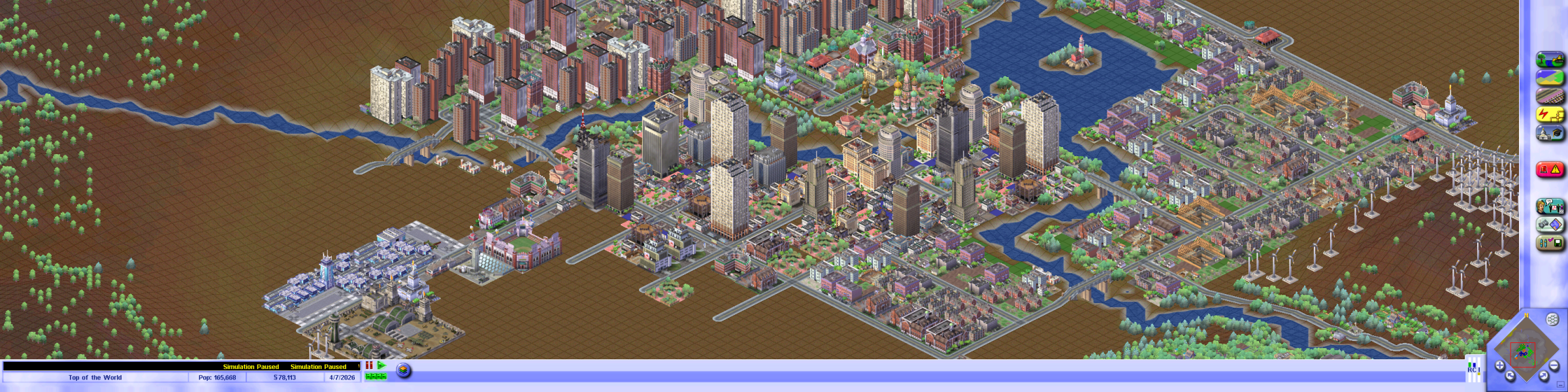
Only 4:3 resolutions are listed in-game; the steps below unlock all resolutions (from SimCity 3000 Unlimited Resolution Fix posted by Lanak)
- Open SC3.EXE or SC3U.exe with a hex editor
- Search for this byte sequence: 8b 4c 24 04 8b 44 24 08 53
- Overwrite the first four bytes with c2 08 00 90
- Search for this byte sequence: 8b 4c 24 04 8b 54 24 08 81 f9
- Overwrite the first four bytes with c2 08 00 90
Everything has the correct aspect ratio but the menus and UI are always at the original size rather than scaling with the resolution.
The game crashes with certain resolutions (such as 1600x900).
The intro cutscene does not work on modern versions of Windows (it can be skipped using the -intro:off command line argument).
Ultra/Super-Wide Specific Solution & Issues:
Same as widescreen solution.
Eyefinity / Surround Specific Solution & Issues:
Same as widescreen solution.
Gameplay Screenshots
4:3 Screenshot

16:10 Screenshot

16:9 Screenshot

21:9 Screenshot
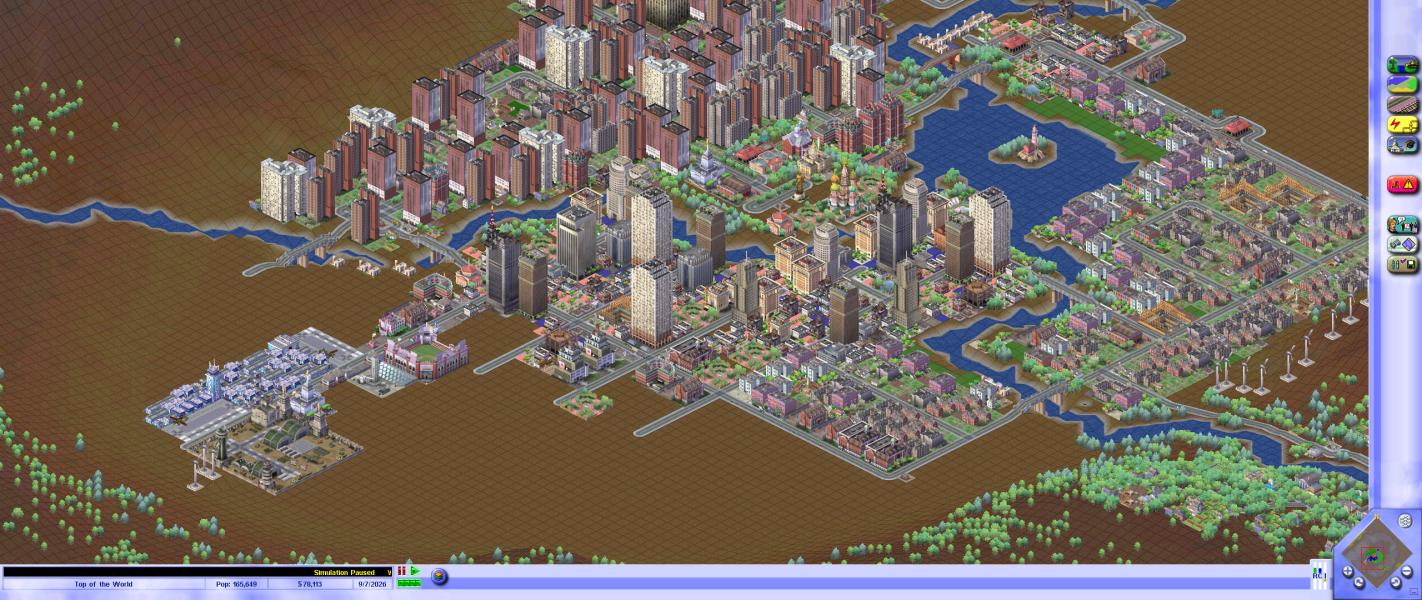
32:9 Screenshot

Eyefinity / Surround Screenshot