


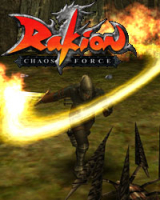


A Free to Play Online Action RPG. Rakion focuses on intense battles with RPG style characters and settings to provide an engaging fighting experience.
Support Summary
Widescreen | Ultra/Super‑Wide | Multi-Monitor | 4K Ultra HD | |
Support | ||||
Method | ||||
HUD | ||||
Cutscenes | ||||
FMVs |
Game Information
Game Status:Released
Release Date:
Play Styles:MMO
Setting:Fantasy
Genre:Open World
Links:
Screenshots Comparison
Solutions & Issues
Widescreen Solution & Issues:
1st. Start your rakion game once then close it.
2nd. Go to your rakion scripts folder
(for example: C:\Program Files\Softnyx\Rakion\Scripts)
3rd. Open the PersistentSymbols.ini file
4th. Find these lines
m_pixScreenWidth=(INDEX)(your resolution);
m_pixScreenHeight=(INDEX)(your resolution);
5th. Change the resolution
Example:
m_pixScreenWidth=(INDEX)1440;
m_pixScreenHeight=(INDEX)900;
No credits to me. I just wanted to post this into the solution section
Gameplay Screenshots
4:3 Screenshot

16:10 Screenshot

16:9 Screenshot

21:9 Screenshot

32:9 Screenshot

Eyefinity / Surround Screenshot


