


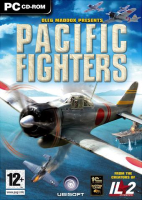


Pacific Fighters is a 2004 World war 2 fighter plane game for PC.
Support Summary
Widescreen | Ultra/Super‑Wide | Multi-Monitor | 4K Ultra HD | |
Support | ||||
Method | ||||
HUD | ||||
Cutscenes | ||||
FMVs |
Game Information
Screenshots Comparison
Solutions & Issues
Thanks to Slammin @ UBI.com Forums
Edit the conf.ini file in the game's root dir.
[window]
width=1680
height=1050
ColourBits=32
DepthBits=24
StencilBits=8
ChangeScreenRes=0
FullScreen=1
DrawIfNotFocused=0
EnableResize=1
EnableClose=1
SaveAspect=0
Use3Renders=0
[Change, width=/height=, to whatever resolution preferred]
....and dont forget to set your desktop to the same resolution! (it didn't work for me until I did)
The 'SaveAspect=0' line is important there. By default it's set to 1 which will cause the game to maintain it's aspect ratio and put black bars on the sides. At 0 it properly fills the screen.
There's a small bug with this that I've noticed. When you're flying through a cloud or fog the game darkens the screen, but only in the normal 4:3 aspect area. Outside that area, the colors are the same as if you were flying in clear sky. It's not a huge color difference, and only a minor niggle however.
Gameplay Screenshots


