Need for Speed: Underground 2

The game is based around tuning cars for street races, resuming the Need for Speed: Underground storyline.

Support Summary

Widescreen
Ultra/Super‑Wide
Multi-Monitor
4K Ultra HD
Support
Method
HUD
Cutscenes
FMVs

Game Information

Game Status:Released
Release Date:
Play Styles:Single-Player
Setting:Modern

Screenshots Comparison

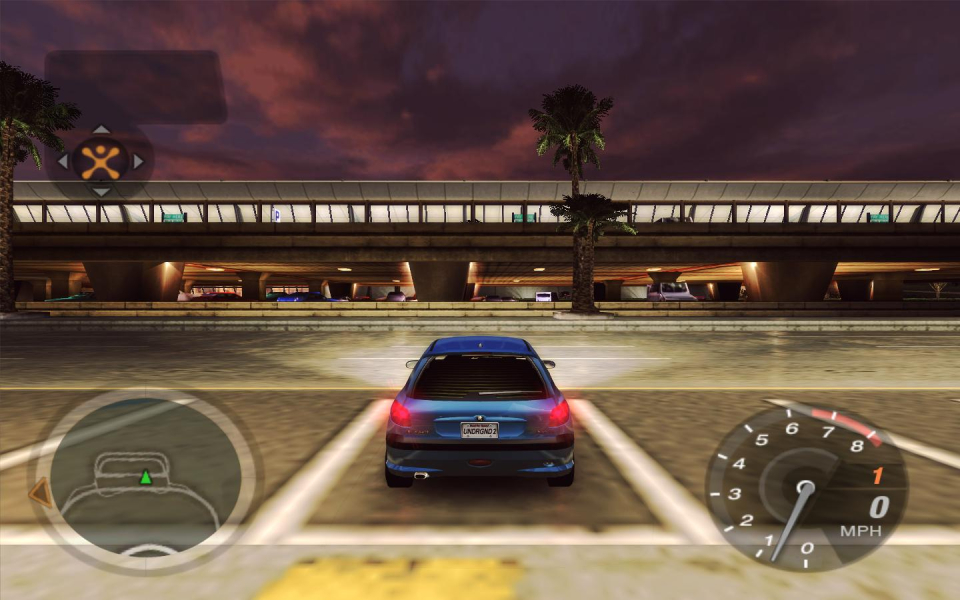
4:3 Screenshot
16:10 Screenshot
16:9 Screenshot
21:9 Screenshot
A monitor with a question mark on it. The text above it reads "There is currently no image uploaded for this field." There is a semi-transparent WSGF logo in the background, while the main background is white. The image aspect ratio is 21:9.
32:9 Screenshot
Eyefinity / Surround Screenshot
Solutions & Issues
Widescreen Solution & Issues:

ThirteenAG's Widescreen patch works well. I personally have had the most luck with the one bundled into the Underground2.net mod. The photos are from an old mod that doesn't work as well.

FMV's have the option of being stretched, cropped (Vert-), or Pillarboxed.

Eyefinity / Surround Specific Solution & Issues:

Use the ThirteenAG widescreen fix:
https://thirteenag.github.io/wfp#nfsu2

The original solution:
Same method as for widescreen.
However in multi-mon, the differences between third- and first-person cameras are so exaggerated that fixing one cam will break another..

Roughly Hor+ FOV Hack settings for 48:10 (chase cameras):
X FOV: 2
Y FOV: 0.429
With these settings, the bonnet cam is broken (black).

Roughly Hor+ FOV Hack settings for 48:10 (bonnet & bumper cams):
X FOV: 1.69
Y FOV: 0.379
With these settings, the far chase cam is noticeably stretched.

4:3 Screenshot
4:3 (FOV Hack off), far cam
16:10 Screenshot
16:10 (X FOV: 1.25 Y FOV: 0.809), far cam
16:9 Screenshot
16:9 (X FOV: 1.34 Y FOV: 0.79), far cam
21:9 Screenshot
A monitor with a question mark on it. The text above it reads "There is currently no image uploaded for this field." There is a semi-transparent WSGF logo in the background, while the main background is white. The image aspect ratio is 21:9.
32:9 Screenshot
Eyefinity / Surround Screenshot
48:10 (X FOV: 2 Y FOV: 0.429), far cam
4:3 (FOV Hack off), bonnet cam
16:10 (X FOV: 1.25 Y FOV: 0.809), bonnet cam
16:9 (X FOV: 1.34 Y FOV: 0.79), bonnet cam
48:10 (X FOV: 1.69 Y FOV: 0.379), bonnet cam
48:10, bonnet cam w/ good settings for far cam = broken
48:10, far cam w/ good settings for bonnet cam = stretched
16:10 Resolutions:
16:9 Resolutions:
Eyefinity / Surround Resolutions:5040x1050
Multi-Monitor Types:Nvidia Surround
Multi-Monitor Layouts:3x1-L