


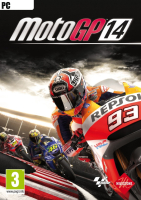


All the riders from the 2013 and 2014 seasons, plus legends from the past and custom riders battle it out in new offline and online game modes.
Support Summary
Widescreen | Ultra/Super‑Wide | Multi-Monitor | 4K Ultra HD | |
Support | ||||
Method | ||||
HUD | ||||
Cutscenes | ||||
FMVs |
Game Information
Game Status:Released
Release Date:
Tested Version:Steam Demo
Play Styles:
Setting:Modern
Genre:Racing (Sim-Style)
Developer:Milestone S.r.l
Store Links:
Screenshots Comparison
Solutions & Issues
Widescreen Solution & Issues:
Native anamorphic support up to 1920x1200.
For higher resolutions, an .ini edit is required:
%APPDATA%\Milestone\MotoGP14\Config.ini
- Edit these lines...
- Save the changes, then (IMPORTANT!) set the file to Read-only.
- An error message box saying "Cannot save Config.ini" will pop up a few times each time you run the game. Close it or click Ok to proceed.
Width=
Height=
Ultra/Super-Wide Specific Solution & Issues:
21:9 resolutions require an .ini edit, see Widescreen method above.
Pillarboxed picture = minimal support.
Eyefinity / Surround Specific Solution & Issues:
MM resolutions require an .ini edit, see Widescreen method above.
Pillarboxed picture = no support, anyway.
Sadly MotoGP 14 does not support the Triple Monitor setting, even though the game was released months after WRC4.
4K UHD Specific Solution & Issues:
(See Widescreen method above to force resolutions higher than 1920x1200)
Gameplay Screenshots
4:3 Screenshot

16:10 Screenshot

16:9 Screenshot

21:9 Screenshot

32:9 Screenshot

Eyefinity / Surround Screenshot


