


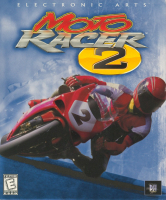


Take on the competition, on road and off, in the sequel to Moto Racer.
Support Summary
Game Information
Screenshots Comparison
Solutions & Issues
Resolutions are detected up to a maximum resolution of 1024x768, so some netbook-style widescreen resolutions (1024x576, 1024x640, etc.) will be listed if they are available on the system.
Everything scales correctly. Single player and LAN play are Hor+ while splitscreen is Vert-. Pre-game menus and FMV cutscenes always run at 640x480.
For higher resolutions do the following:
- Make a custom resolution below the 1024x768 limit with the correct aspect ratio (1024x576 for 16:9, 1024x640 for 16:10, etc.)
- Set up dgVoodoo2 (requires WIP 21 or later).
- Set your real native resolution on the DirectX tab in dgVoodoo2.
- Run the game.
- Choose the custom resolution in-game.
The lap time information will increase in size for wider aspect ratios while the map and speedometer will remain in a central 4:3 location.
Same as widescreen steps (e.g. use a 1024x432 resolution in-game for 2560x1080). The speedometer and map remain centred for 4:3.
Same as widescreen steps. The lap time and speedometer background are very low resolution while the map and speedometer information are drawn natively.
Gameplay Screenshots


4K UHD Screenshots


