


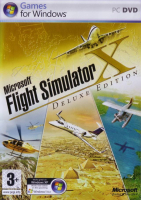


FSX is the 2006 release in the venerable flight sim series from Microsoft. This release celebrates 25 years of the franchise.
Support Summary
Screenshots Comparison
Solutions & Issues
Widescreen FOV increase is much too high (Hor+ and Vert+).
- Edit %APPDATA%\Microsoft\Flight Simulator X\FSX.cfg
- Change WideViewAspect=False to WideViewAspect=True
- Save your changes.
Issue: Stretched side Monitors
No Fix available.
___________________________________________________________________________________________________________________________________
Issue: No 2D Panel visible, mouse pointer is flickering.
If you run your Monitors as one Ultrawide Monitor (Eyefinity/NV Surround) and want to use the 2D Cockpit, you need to tweak the panel.cfg File for the corresponding Aircraft.
Otherwise, if you switch to 2D Cockpit it wont show up and FS will respond with issues.
Edit: "Flight Simulator X\SimObjects\Airplanes\YOUR AIRPLANE\panel\panel.cfg
Under the [Window00] section locate the line:
window_size=1.000, 1.000
Change this line to:
window_size=0.333, 1.000
If the window_size= line isn't present, add the line.
___________________________________________________________________________________________________________________________________
Issue: Runway, PAPI, Approach and Strobe Lights too Big
Download this file: https://www.dropbox.com/s/mthdm4bxcq6crvc/eyefinity_lights_texture.rar
Extract it, and copy and replace the halo.bmp file to "Flight Simulator X\Texture\"
Insert this into your FSX.cfg File under the [DISPLAY] sextion:
RUNWAY_LIGHTS_APPROACH_SCALAR=0.9
RUNWAY_LIGHTS_STROBE_SCALAR=0.9
RUNWAY_LIGHTS_SURFACE_SCALAR=0.9
RUNWAY_LIGHTS_VASI_SCALAR=0.9
Default value is 1.0, you can play with the values to suit your preference.
___________________________________________________________________________________________________________________________________
Recommended Tweaks:
Run not in DX10 Preview Mode, FPS hit, and problems with some addons.
Run in Fullscreen, in Window Mode you get less FPS, except when you have 2 or more Monitors in Extended mode, than you get more FPS in Window Mode.
Set Framerate to Unlimited, and limit it to 30FPS with an external Limiter, for example: RadeonPro (Under Tweaks, Dynamic Framerate Control)
Don't use the Antialiasing tick in FSX, it hits your performance ist better to use SMAA Ultra with RadeonPro (Under Visual).
You can also use SweetFX for EyeCandy, also set via RadeonPro. (Download SweetFX and set path in the RadeonPro Settings)
SweetFX Settings:
http://sfx.thelazy.net/games/game/136/
Use: Hit the Import Button under SweetFX tab in RadeonPro, its at the very Bottom)
___________________________________________________________________________________________________________________________________
Recommended entrys in FSX.cfg File:
[Main]
DisablePreload=1
FS Loads up the menu faster, because he is not loading the default flight fully before the menu appears.
Tweak your FSX.cfg File with that: http://www.venetubo.com/fsx.html
It Really gives a good performance boost, and also sets a few standard thing, like TEXTURE_MAX_LOAD=4096 and WideViewAspect=True.
Use conservative mode, otherwise Aircraft shadows will be removed.
It also removes the Cockpit ToolTips (If you move your Mouse on a Switch etc. you see the a Text Popup what it is).
If you don't want that removed, edit the fsx.cfg afterwards and set QUICKTIPS=0 to 1.
___________________________________________________________________________________________________________________________________
Install Shader Model 3 MOD for Flight Simulator X (v1.6) by Bojote:
https://www.dropbox.com/s/itmmr0vg0qx6mjx/sha3mod.rar
It's a replacement Shaders set which has been updated to allow FSX to use the newer v3 model.
FSX was released allowing backward compatiblity with older hardware. this required that the default shader model was version 2.
However, newer video cards are designed and optimized to execute last generation DX9c shaders (SM3.0) more efficiently.
It improves the performance well.
___________________________________________________________________________________________________________________________________
Note:
Every time you change something in the FSX Settings Menu, you must manually set TEXTURE_MAX_LOAD=4096 in fsx.cfg again, as FSX will set it to the default value TEXTURE_MAX_LOAD=1024.
Gameplay Screenshots


Additional Screenshots


