


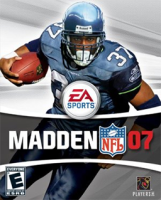


2007 version of the venerable Madden NFL franchise. Another year, another roster update.
Support Summary
Game Information
Screenshots Comparison
Solutions & Issues
I edited the ini the first day I got madden 07, saw you didn't believe the other guy so I finally registered (great site by the way, really made my transition to widescreen allot easier). Anyways I use 1440x900 and it works, just go to "My Documents" then to the "Madden NFL 07" folder open the "madden" configuration settings and scroll a bit to find this part
// Option Group: System Settings
Front-End Rate Limited [Yes/No] = Yes
Hardware Shaders [On/Off] = Off
Helmet Mapping [On/Off] = On
In-game Effects [On/Off] = On
Player Accessories [On/Off] = On
Video Bit Depth [16/32] = 32
Video Refresh Frequency [60-120] = 60
Video Resolution Horizontal [320-1600] = 1440
Video Resolution Vertical [200-1200] = 960
Video Texture Compression [On/Off] = On
Video Texture Depth [0/16/32] = 32
Video Texture Resolution [Low/Medium/High] = High
Video Vertical Sync [On/Off] = On
Weather Effects [0-4] = 3
Windowed Mode [Yes/No] = No
Now is the time to change your Video Resolution Settings, going over 1600 and 1200 won't work, so I used 1440x900. The menu resolution doesn't change. Also any other settings you wish to change you should do in this file as when you open the game if you go into the system settings it will reset your resolution back to 640x480, then you would have to close madden and repeat this process again.
Right click the maden.ini config settings (the file you have edited) and go to properties and tick the box read only and apply. This will stop the resolution settings being changed when the game/starts or options are changed
The picture is just stretched to fit the screen but at least it improves the quality over forcing it by my monitor.
Gameplay Screenshots


